OKD OpenShift on Proxmox Adding a Second Worker Node

Looking forward to my next post where I will be making some ingress changes to my cluster.
Before I do that, I want to walk through adding a second node to my OKD cluster.
Based on the decisions I documented during my original OKD install, I already have a good idea of how this should go. But this feels like the right time to actually do it.
Once the ingress changes are in place, I want to shift my focus toward real cluster operations, scaling, workload placement, resiliency, and production behavior.
Yes, I could temporarily allow workloads to schedule on the master nodes to get some of that functionality. But that’s not how I think.
I’m very production-architecture focused.
If I’m going to build it, I want to build it the right way (within practical constraints):
- Dedicated workers
- Clean separation of roles
- Proper scheduling boundaries
- No shortcuts I wouldn’t accept in a real environment
So before touching ingress, I’m strengthening the foundation.
That’s the move, and I am sticking to it (at least for today) 😁
The Process
Here’s the exact flow:
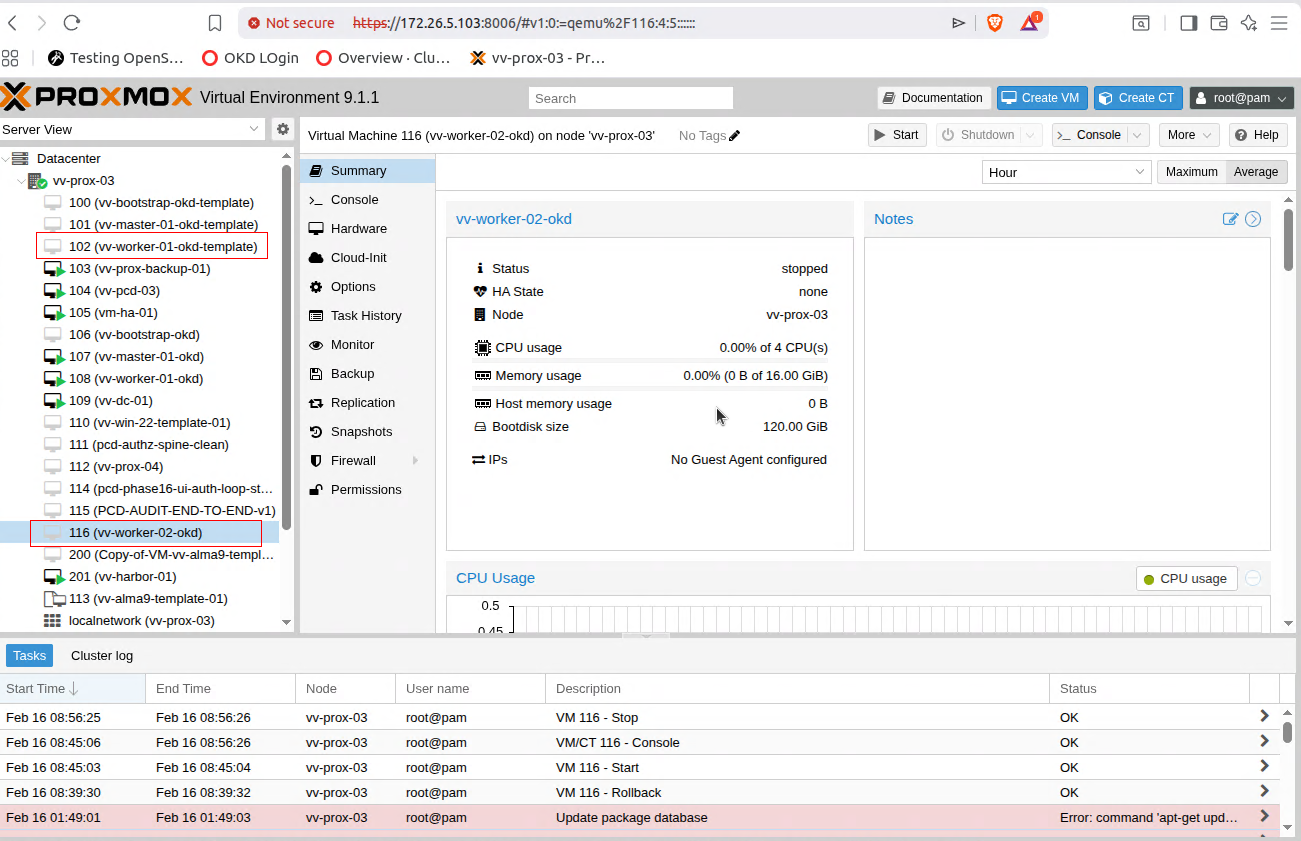
- Clone my worker node template
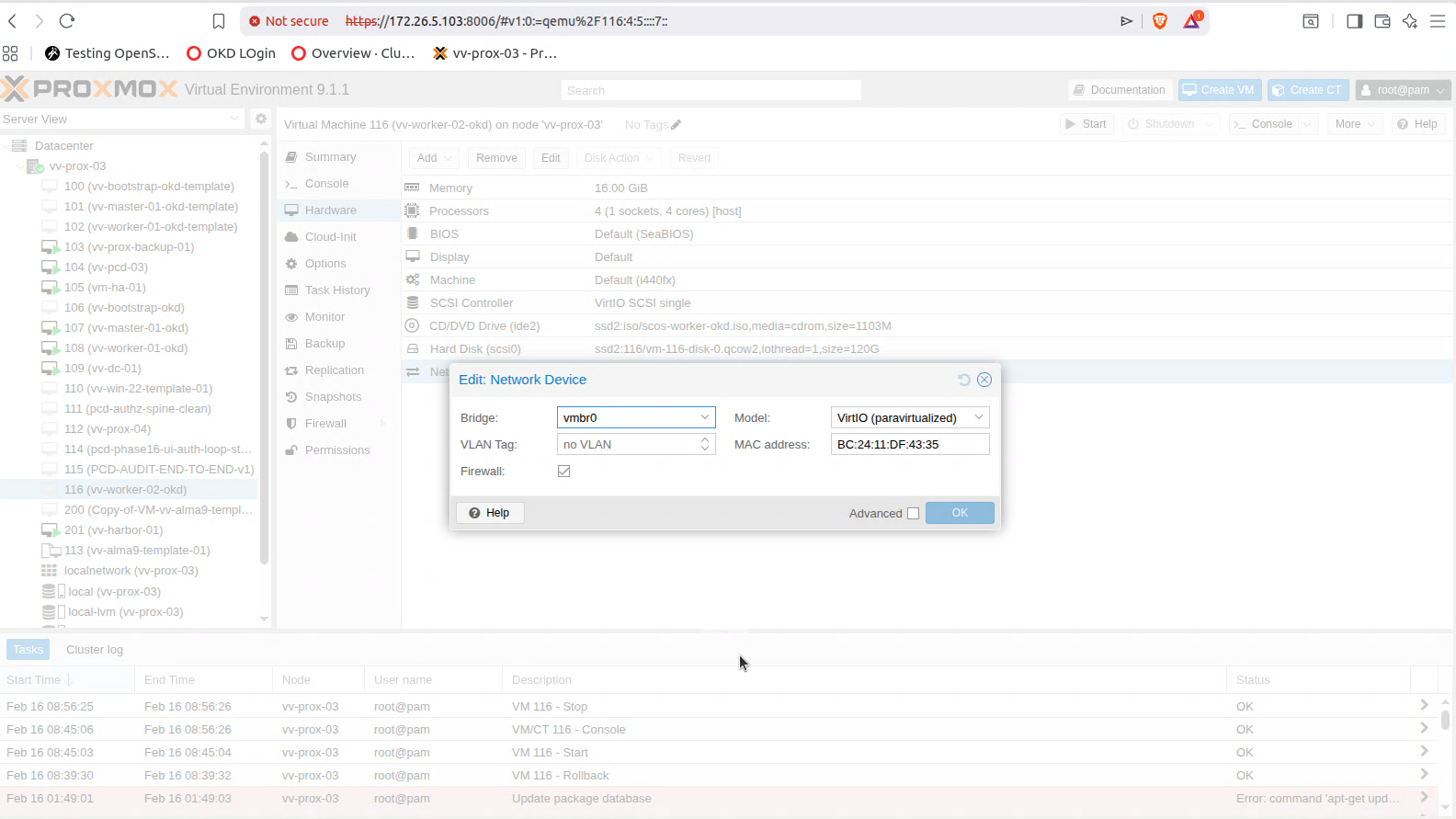
Start from the known-good worker image to maintain consistency across the cluster. - Grab the MAC address of the NIC
This ensures clean DHCP reservation and predictable networking. - Create a DHCP reservation on my router
Bind the MAC address to the intended IP address so it never drifts. - Update DNS to reflect the new IP
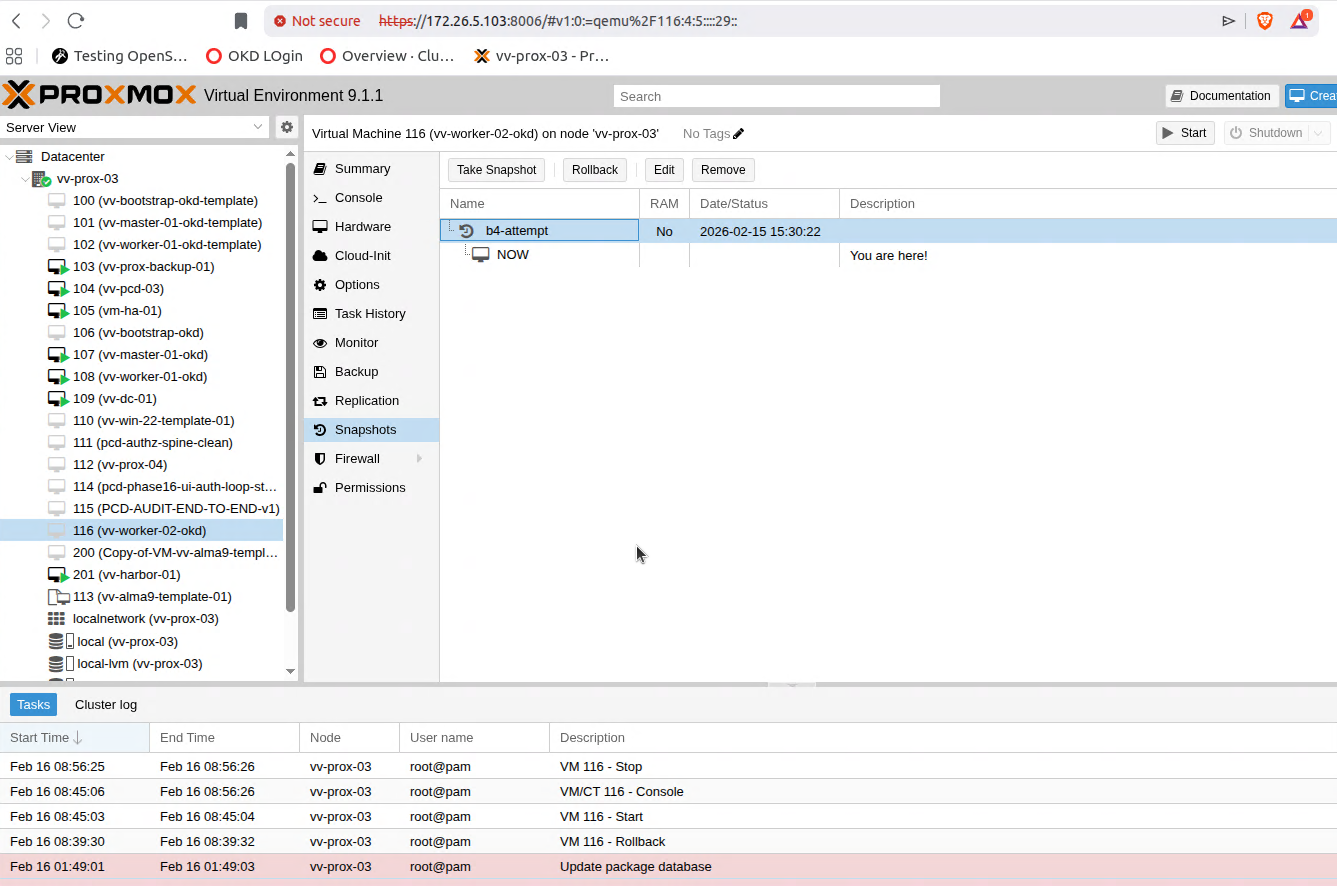
Forward and reverse records aligned. No surprises later. - Snapshot the powered-off clone
This gives me repeatability.
If I ever need to rebuild or scale again, I start from a clean, proven state.
What I’m Not Covering
I’m not going to illustrate the DNS or router configuration steps here.
If you’re doing this level of cluster work, you already understand how reservations and DNS operate in your environment.
Quick Add — Not Scheduling Yet
This should be a quick one.
I’m not planning to schedule workloads on this node yet. The goal is simply to get vv-worker-02-okd admitted to the cluster, fully registered, and ready.
Once it joins, I’ll cordon it.
I do this intentionally.
I like to see the full admission lifecycle:
- CSR generation
- Approval
- Node registration
- Machine Config reconciliation
- Ready state
Then I stop.
There’s value in observing the cluster when it’s not under load. You see the signals more clearly.
Realistically, I’ll probably power the node down and only boot it when needed. That saves CPU and memory for other workloads in my lab.
More importantly, this approach tends to expose the sharp edges:
- Scheduling behavior
- Node readiness transitions
- Operator reactions
- Drain and reboot flow
Build it. Admit it. Observe it. Then decide when to use it.
I will fire up the python server on my OKD Installer node.
python3 -m http.server 8080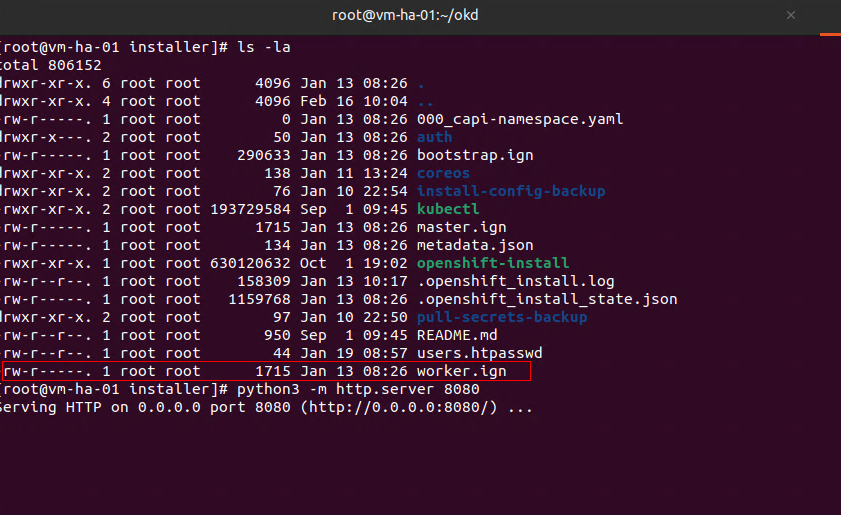
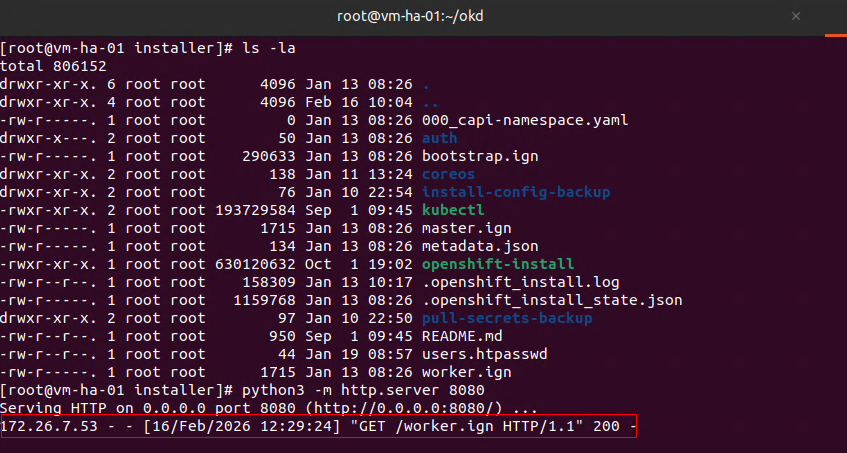
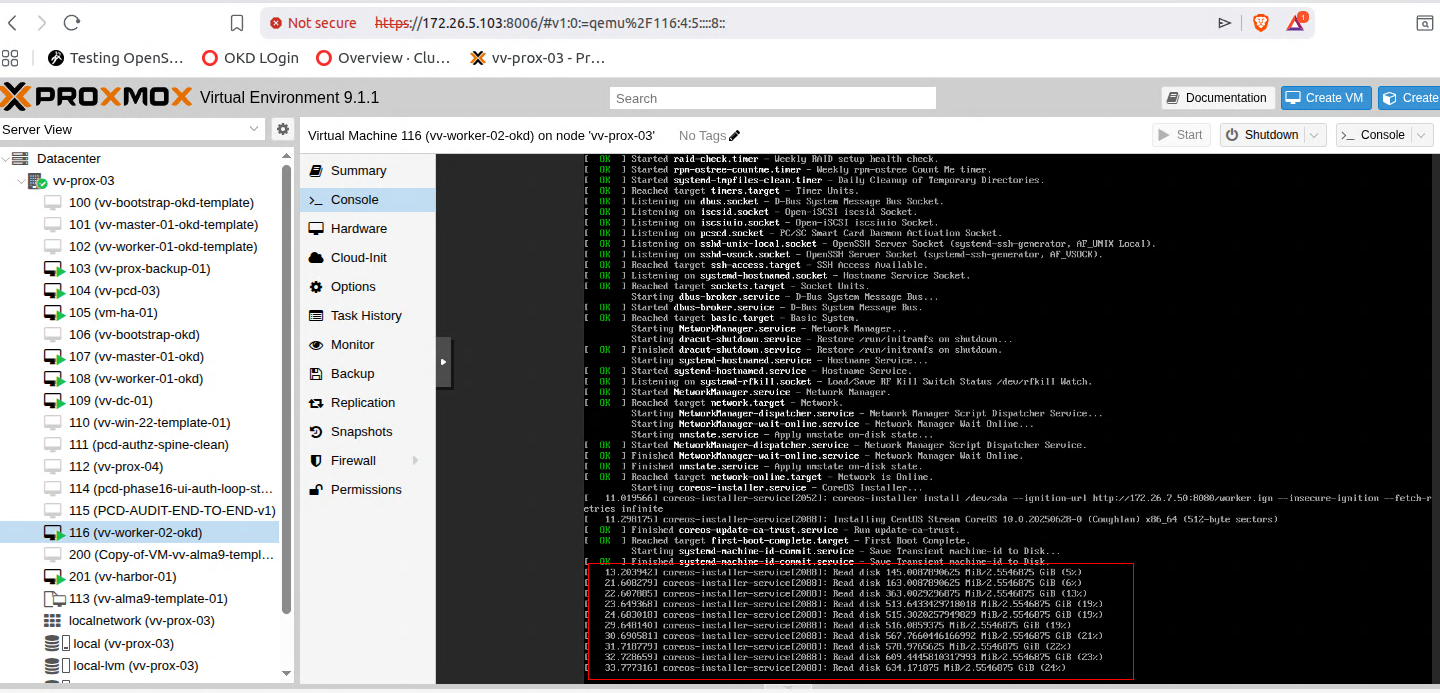
At this point you will just be waiting on CSR's and to approve them
kubelet client CSR (initial bootstrap)
Allows the kubelet on the node to authenticate to the API server for the first time.
Manual approval required.
kubelet client CSR (rotation)
After the bootstrap cert is issued, the kubelet immediately requests a long-term client certificate.
Manual approval required.
certificate.kubelet-serving CSR
Allows the API server to talk securely to the kubelet.
Typically auto-approved.
oc get csr -w
oc adm certificate approve <cert>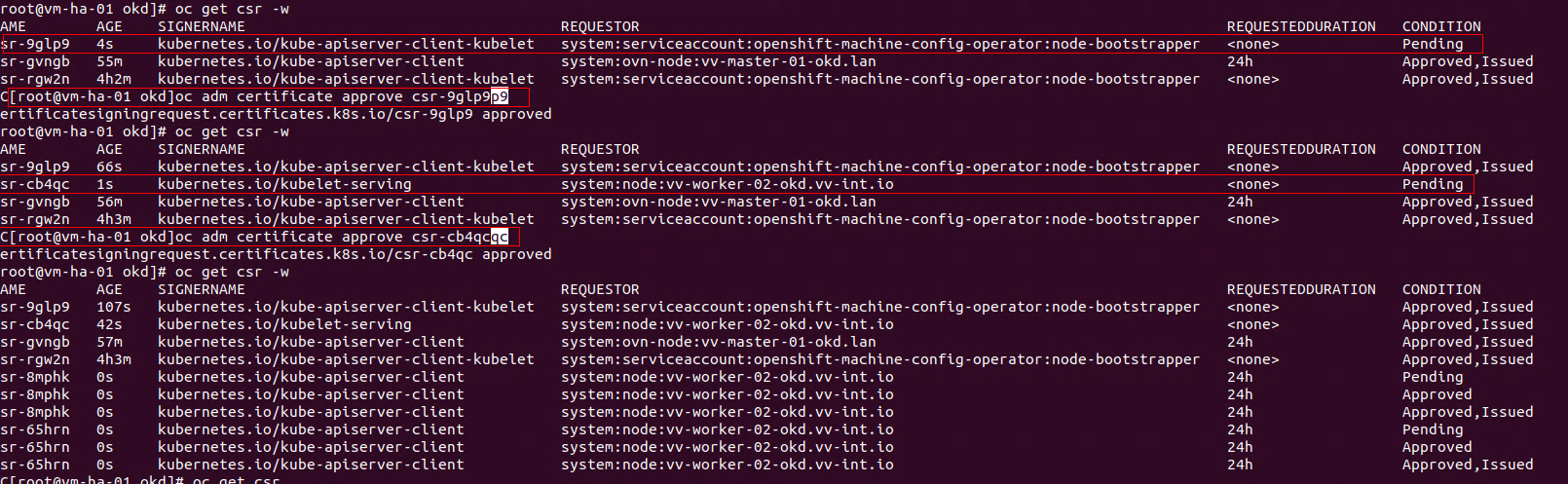
After that you basically wait a few minutes and you should see
oc get nodes
oc get mcp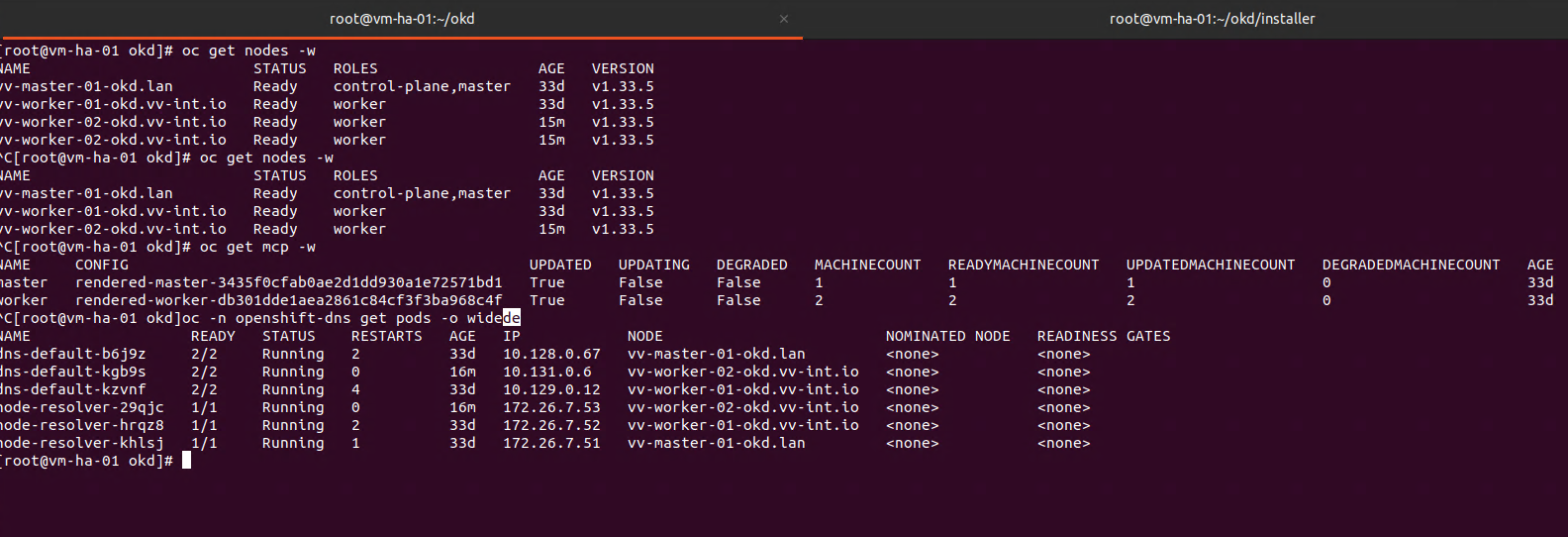
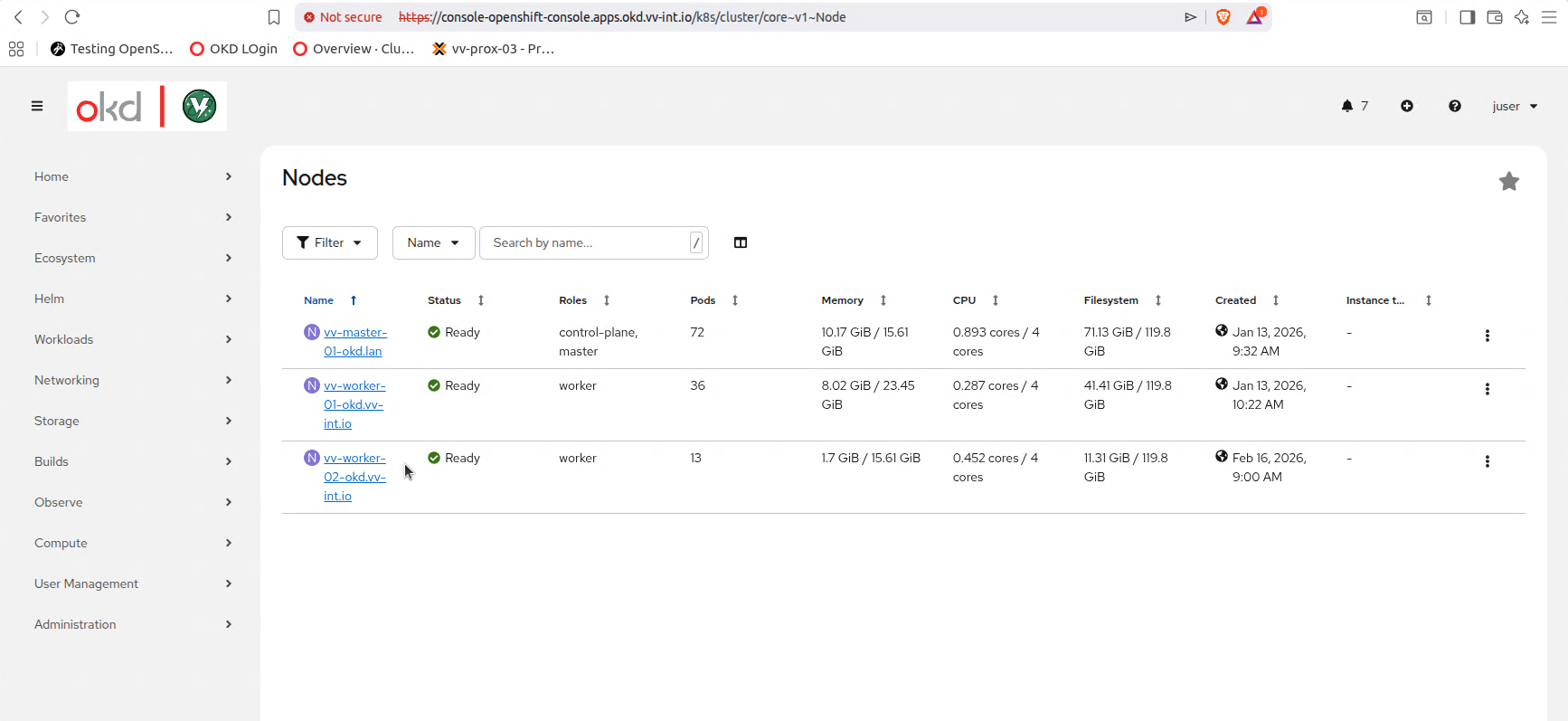
Thats it! Once you confirm all the things are working you can leave it powered on and have fun
OR
oc adm cordon vv-worker-02-okd.vv-int.io
oc adm drain worker-02 --ignore-daemonsets --delete-emptydir-data
oc delete node vv-worker-02-okd.vv-int.io
Revert to the powered-off snapshot.
Repeat the process.
Over and over.
Thanks for reading,
-Christian