AWX and Dynamic NFS Provisioner Part 1

AWX and Dynamic NFS Provisioner Part 1
As a early Ansible user, I wanted to see what the modern, production-grade evolution of Ansible looks like today and begin using it in my envornment to enforce state and consistency.
As I work my way through the Kubernetes and OpenShift stack, with the ultimate goal of Ansible-driven automation, there were at least 3 items on my whiteboard that I wanted to accomplish.
- AWX
- Persistient Volumes
- Autoscale
I saw the oppurtunity to tackle 3 things at once and get value for time spent.
Over time it has been known as Ansible Tower and more recently Ansible Automation Platform, but the core objective has remained the same: centralized automation, visibility, and control at scale.
Deploying the upstream AWX project became a priority.
Additionally, one of my non-negotiables was configuring dynamic Persistent Volume provisioning backed by network-attached storage
While it is possible to hack in local storage, I have little interest in brittle, non-production patterns. If something can be done correctly, I will always choose a production-grade approach.
So my first run of installing AWX as I usually do I just wanted to make it go. I wanted to see the end result.
Why AWX Could Not Create NFS Subdirectories on the First Deployment
In my first AWX deployment, the NFS server itself was not the problem.
- The NFS export already existed
no_root_squashwas correctly configured- The export was writable
- Manual directory creation on the NFS server worked fine
Yet AWX still failed unless I pre-created the subdirectories by hand.
The issue turned out not to be NFS permissions at all , it was the absence of a dynamic provisioner capable of creating directories on the export.
Once I had AWX installed, connected to a repository, and successfully ran a playbook to verify everything was working, I tore the entire deployment back down again.
The goal was not just to get AWX running, but to fully understand each stage of the stack and rebuild it in the most correct and repeatable way possible.
This post will be split into two parts.
In Part One, I will build out a dynamic NFS provisioner and run validation tests to ensure persistent storage behaves correctly under OpenShift’s security constraints.
Once that foundation is solid, Part Two will focus on deploying AWX on top of that storage layer
Goal, Persistent Volumes (Dynamic NFS)
- Backed by a single shared NFS provisioner
- Provisioned dynamically via a StorageClass (e.g.
nfs-dynamic) - PVCs are created and deleted automatically
- No static PVs required
- PVC size is advisory, not a hard limit (NFS directories)
- Reclaim policy controls cleanup behavior (
Deleteremoves NFS dirs)
Dynamic NFS Provisioner
- NFS server: 172.26.5.200
- Export: /export/ssd01-1tb
- PodSecurity: restricted (never relaxed)
- One shared provisioner, reused cluster-wide
Namespace + ServiceAccount
oc new-project nfs-provisioner
oc create sa nfs-client-provisioner -n nfs-provisioner
Verify:
oc get sa -n nfs-provisioner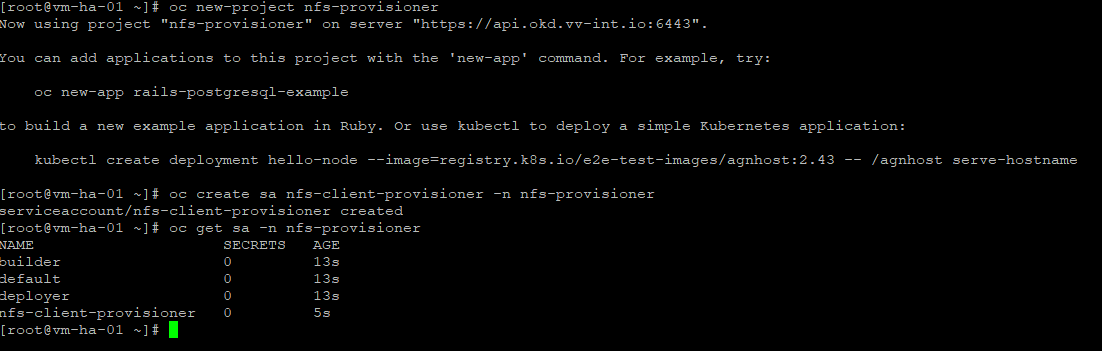
Next we create
RBAC (ClusterRole + Binding)
Create RBAC objects (ClusterRole and Binding) to grant the provisioner the permissions it needs to manage PersistentVolumes across the cluster.
cat <<'YAML' | oc apply -f -
apiVersion: rbac.authorization.k8s.io/v1
kind: ClusterRole
metadata:
  name: nfs-subdir-external-provisioner-runner
rules:
  - apiGroups: [""]
    resources: ["persistentvolumes"]
    verbs: ["get","list","watch","create","delete","patch","update"]
  - apiGroups: [""]
    resources: ["persistentvolumeclaims"]
    verbs: ["get","list","watch","update","patch"]
  - apiGroups: [""]
    resources: ["events"]
    verbs: ["create","patch","update"]
  - apiGroups: [""]
    resources: ["nodes"]
    verbs: ["get","list","watch"]
  - apiGroups: [""]
    resources: ["endpoints"]
    verbs: ["get","list","watch","create","update","patch"]
  - apiGroups: ["coordination.k8s.io"]
    resources: ["leases"]
    verbs: ["get","list","watch","create","update","patch"]
  - apiGroups: [""]
    resources: ["configmaps"]
    verbs: ["get","list","watch","create","update","patch"]
  - apiGroups: ["storage.k8s.io"]
    resources: ["storageclasses"]
    verbs: ["get","list","watch"]
---
apiVersion: rbac.authorization.k8s.io/v1
kind: ClusterRoleBinding
metadata:
  name: run-nfs-subdir-external-provisioner
subjects:
  - kind: ServiceAccount
    name: nfs-client-provisioner
    namespace: nfs-provisioner
roleRef:
  kind: ClusterRole
  name: nfs-subdir-external-provisioner-runner
  apiGroup: rbac.authorization.k8s.io
YAML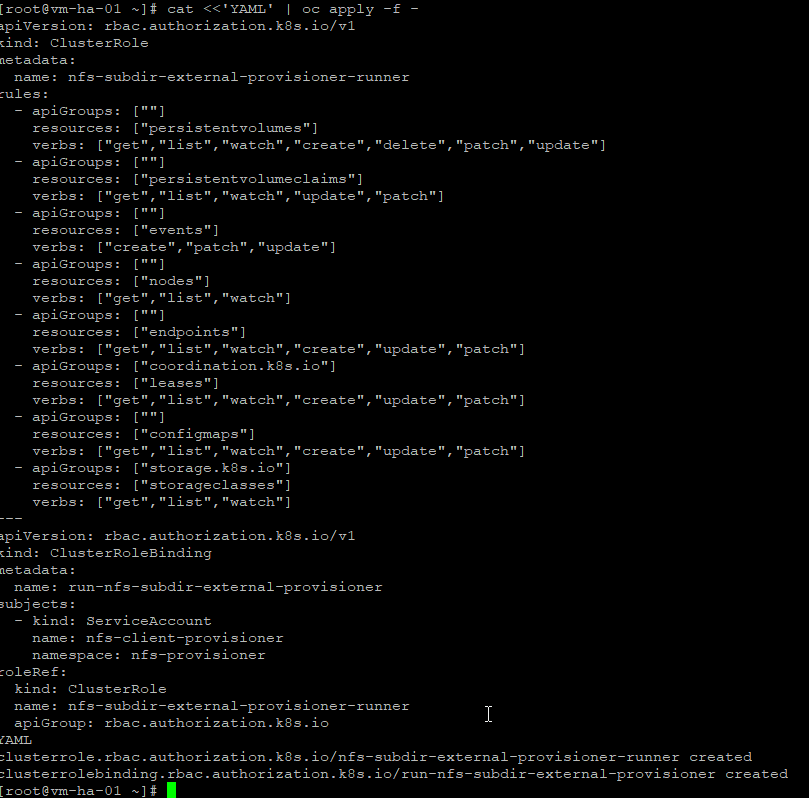
SCC Controller
The provisioner needs extra permissions to manage NFS; apps don’t, so we give privilege to the controller only and leave everything else restricted.
oc adm policy add-scc-to-user privileged \
  -z nfs-client-provisioner \
  -n nfs-provisioner
Sanity check
oc adm policy who-can use scc privileged -n nfs-provisioner | grep nfs-client-provisioner
Deploy the Provisioner
Deploy a network storage provisioner and bind it to a StorageClass so the cluster can dynamically create PersistentVolumes on demand. When a PersistentVolumeClaim is submitted, the provisioner allocates storage on the remote backend and registers it with the cluster automatically, enabling persistent, network-backed storage for stateful workloads without manual volume management.
cat <<'YAML' | oc apply -f -
apiVersion: apps/v1
kind: Deployment
metadata:
  name: nfs-subdir-external-provisioner
  namespace: nfs-provisioner
spec:
  replicas: 1
  selector:
    matchLabels:
      app: nfs-subdir-external-provisioner
  template:
    metadata:
      labels:
        app: nfs-subdir-external-provisioner
    spec:
      serviceAccountName: nfs-client-provisioner
      containers:
        - name: nfs-subdir-external-provisioner
          image: registry.k8s.io/sig-storage/nfs-subdir-external-provisioner:v4.0.2
          env:
            - name: PROVISIONER_NAME
              value: example.com/nfs
            - name: NFS_SERVER
              value: "172.26.5.200"
            - name: NFS_PATH
              value: "/export/ssd01-1tb"
          volumeMounts:
            - name: nfs
              mountPath: /persistentvolumes
      volumes:
        - name: nfs
          nfs:
            server: "172.26.5.200"
            path: "/export/ssd01-1tb"
YAML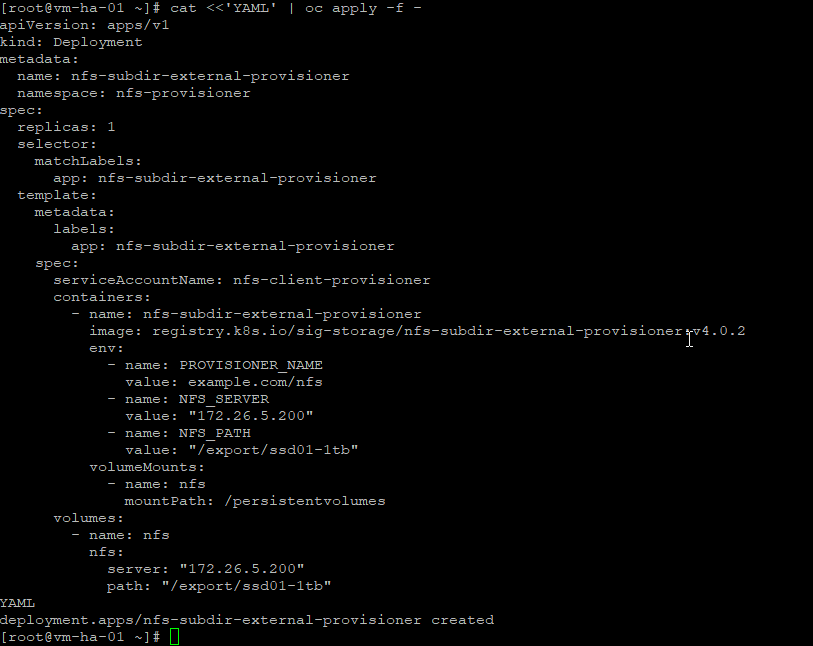
Verify:
oc get pods -n nfs-provisioner
oc logs -n nfs-provisioner deploy/nfs-subdir-external-provisioner | head
StorageClass
Create the StorageClass to define how PersistentVolumes are provisioned. It binds claims to the storage provisioner and specifies the backend behavior used for dynamic, network-backed storage.
cat <<'YAML' | oc apply -f -
apiVersion: storage.k8s.io/v1
kind: StorageClass
metadata:
  name: nfs-dynamic
provisioner: example.com/nfs
parameters:
  archiveOnDelete: "false"
reclaimPolicy: Delete
volumeBindingMode: Immediate
allowVolumeExpansion: true
YAML
Verify:
oc get storageclass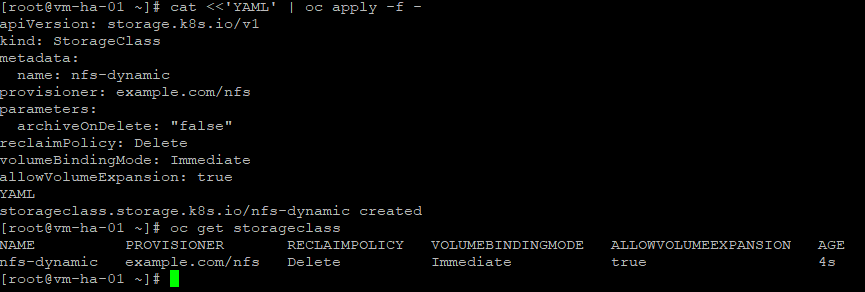
Validation (restricted PSA)
We create a fresh namespace with default security so we’re testing NFS the way real workloads will actually run, no relaxed policies, no shortcuts.
Test namespace
oc new-project nfs-labPVC
cat <<'YAML' | oc apply -f -
apiVersion: v1
kind: PersistentVolumeClaim
metadata:
  name: nfs-test-pvc
spec:
  accessModes:
    - ReadWriteOnce
  storageClassName: nfs-dynamic
  resources:
    requests:
      storage: 1Gi
YAML
Lets watch:
oc get pvc -w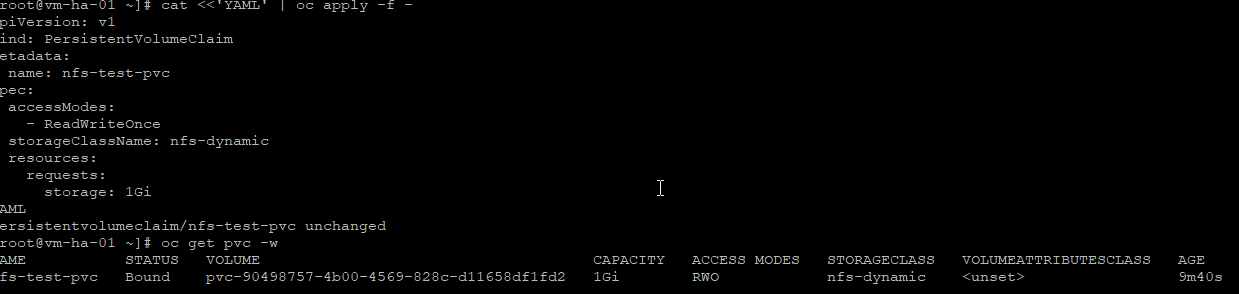
Create Restricted-compliant writer pod
Create a restricted-compliant writer pod to validate the volume under OpenShift security constraints. The pod runs as non-root with minimal permissions and confirms the PersistentVolume can be mounted and written to safely.
cat <<'YAML' | oc apply -f -
apiVersion: v1
kind: Pod
metadata:
  name: nfs-writer
spec:
  securityContext:
    seccompProfile:
      type: RuntimeDefault
  containers:
    - name: writer
      image: registry.access.redhat.com/ubi9/ubi-minimal
      command: ["sh","-c","echo hello-from-nfs > /mnt/data/hello.txt; sleep 3600"]
      securityContext:
        allowPrivilegeEscalation: false
        runAsNonRoot: true
        capabilities:
          drop: ["ALL"]
      volumeMounts:
        - name: data
          mountPath: /mnt/data
  volumes:
    - name: data
      persistentVolumeClaim:
        claimName: nfs-test-pvc
YAML
Verify:
oc get pod -w
oc exec -it nfs-writer -- cat /mnt/data/hello.txt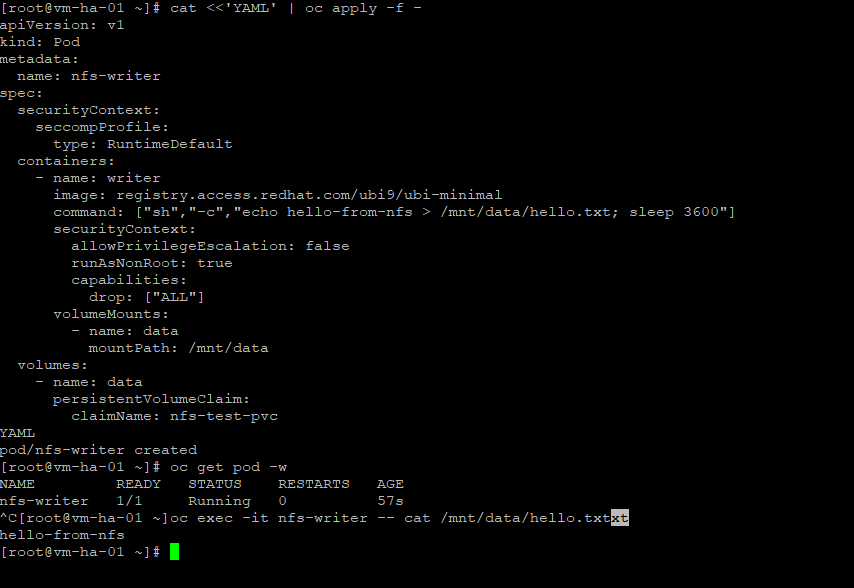

Good stuff, now lets reclaim
Reclaim proof
oc delete pod nfs-writer
oc delete pvc nfs-test-pvc
oc get pv | grep nfs-test-pvc || true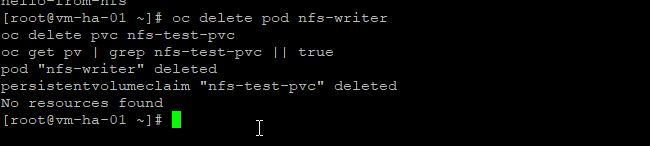

Additionally, the NFS StorageClass is set as the default since it is the only dynamic PersistentVolume provider in use at the moment.
Patch the StorageClass annotation:
oc patch storageclass nfs-dynamic -p '{"metadata":{"annotations":{"storageclass.kubernetes.io/is-default-class":"true"}}}'Verify:
oc get storageclass
Ok thats it we now have a resuable dynamic PVC I have never been real thrilled with the speed of my NFS and probably just impatient but I had to throw some testing in here to make it work.
Autoscale Sanity Tests (NFS Dynamic, Restricted PSA)
Test 1 — Parallel PVC churn
- autoscaler adds nodes
- many pods request storage at once
- controller + NFS handle burst load
Create 10 PVCs at once
for i in $(seq 1 10); do
cat <<YAML | oc apply -f -
apiVersion: v1
kind: PersistentVolumeClaim
metadata:
  name: nfs-churn-pvc-$i
spec:
  accessModes:
    - ReadWriteOnce
  storageClassName: nfs-dynamic
  resources:
    requests:
      storage: 500Mi
YAML
done
Watch them:
oc get pvc -w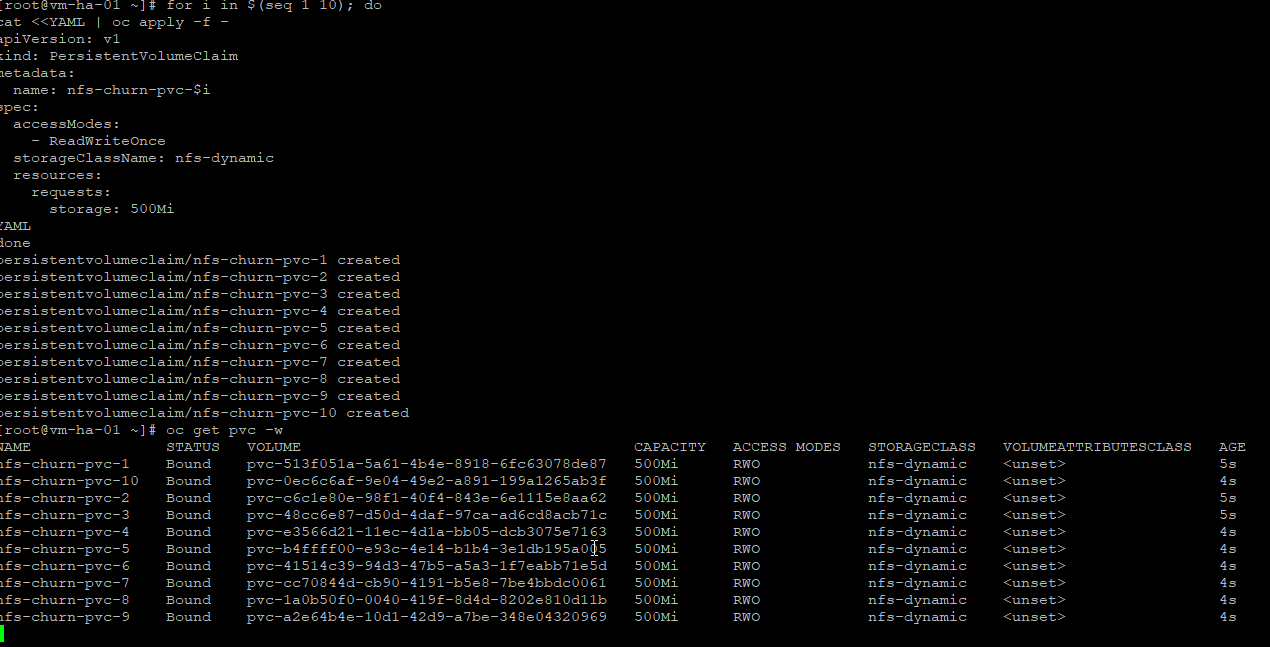
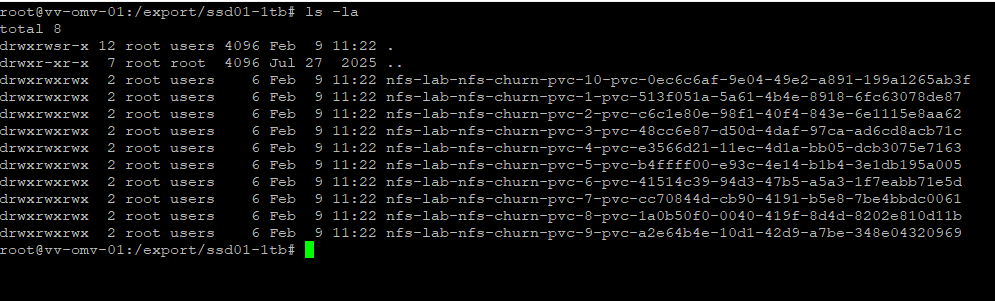
What you want to see
- All PVCs go Pending → Bound
- No PVC stuck pending > ~10–20 seconds
If anything hang → that’s a scaling red flag.
Test 2 — Pod start under bind pressure
Now we attach pods while PVCs already exist (realistic autoscale timing).
Create 10 pods quickly
for i in $(seq 1 10); do
cat <<YAML | oc apply -f -
apiVersion: v1
kind: Pod
metadata:
  name: churn-writer-$i
spec:
  securityContext:
    seccompProfile:
      type: RuntimeDefault
  containers:
    - name: writer
      image: registry.access.redhat.com/ubi9/ubi-minimal
      command: ["sh","-c","echo pod-$i > /mnt/data/file.txt; sleep 300"]
      securityContext:
        allowPrivilegeEscalation: false
        runAsNonRoot: true
        capabilities:
          drop: ["ALL"]
      volumeMounts:
        - name: data
          mountPath: /mnt/data
  volumes:
    - name: data
      persistentVolumeClaim:
        claimName: nfs-churn-pvc-$i
YAML
done
Watch:
oc get pod -w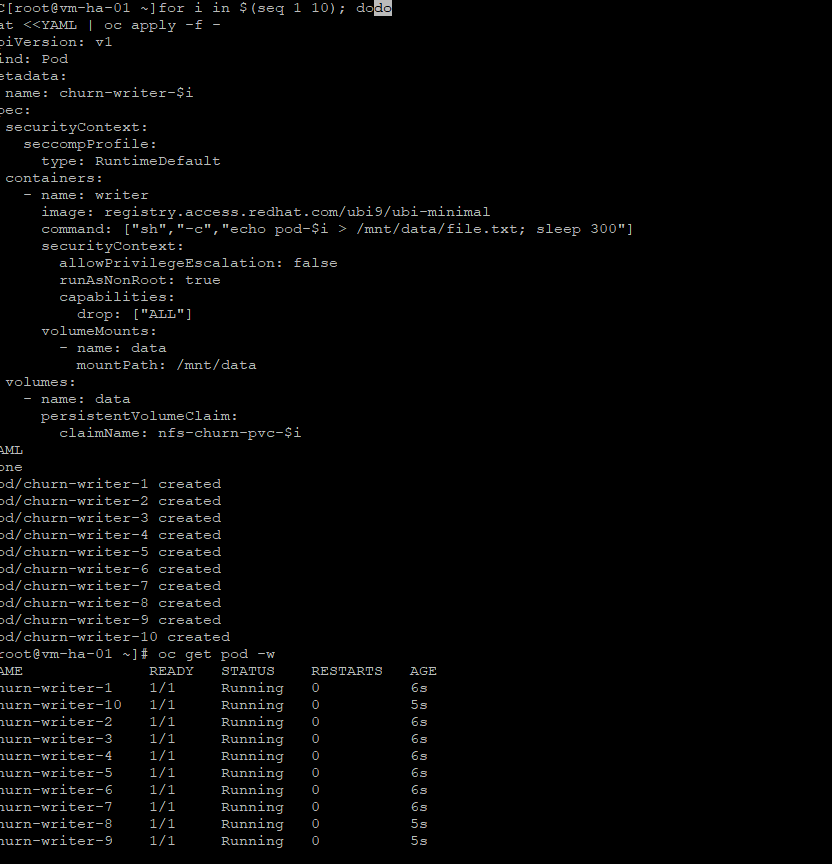
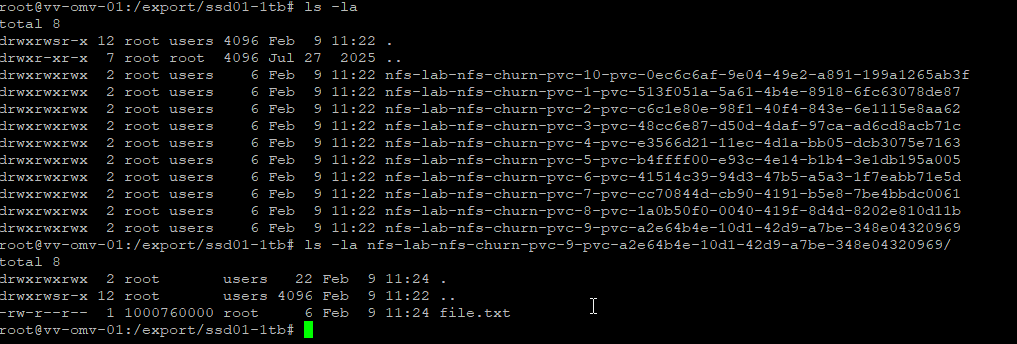
What you want
- Pods go Pending → Running
- No MountVolume or permission errors
- No PodSecurity violations
If pods stall on mount → autoscale blocker.
Test 3 — Cleanup under load (as I read it, this matters more than create)
Autoscale stress usually breaks deletes, not creates.
Delete everything at once
oc delete pod --all
oc delete pvc --all
Now watch:
oc get pv | grep nfs-churn || trueExpected:
(no output)Then on the NFS server:
ls -lh /export/ssd01-1tb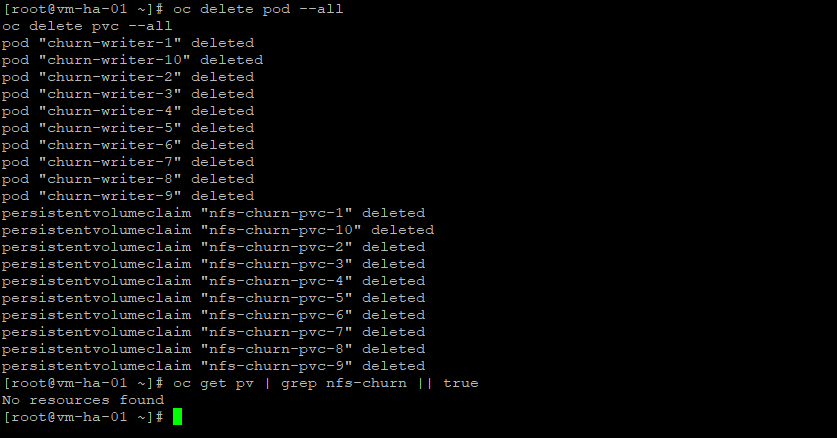

Expected:
- No pvc directories left behind
So thats it pretty cool stuff! I will save the AWX install for part 2 With the work done here its pretty smooth sailing from here.
The bonus is that this provisioner can be reused cluster-wide, and that’s the point.
Thanks for reading, -Christian