Installing and Integrating Harbor With OKD/OpenShift

I was playing with my new OKD cluster and getting some workloads running. It was all simple enough, but I really don’t like spending time doing things that are not prod-like.
I know that most shops are probably not trusting upstream registries , additionally OpenShift does not allow containers to run as root by default, and many upstream images assume they are root. I wanted a way to rebuild upstream container images so they satisfy OKD/OpenShift security requirements, store them locally in Harbor, and deploy them reliably without pulling from upstream registries at runtime.
So I went on the hunt for a enterprise container registry and landed on Harbor.

This document details my installation of Harbor. Because I have not yet implemented a Certificate Authority in my environment and I’m being deliberate about where I spend my time this installation is configured to use HTTP rather than HTTPS.
I initially attempted to use self-signed certificates, but consistently ran into certificate-related errors across multiple components. While switching Harbor to HTTP introduced a different set of issues, those problems were at least predictable and debuggable, allowing me to make forward progress.
For now, the goal of this deployment is functionality and understanding, not production-grade TLS. HTTPS will be introduced later once a proper CA strategy is in place.
The Goal:
- Install harbor http
- Pull images from dockerhub
- Push them into the "golden" Project
- Configure OKD to pull from harbor
- Test a non-root image (grafana)
- Test an image that has to be rebuilt to run within OKD's constraints.
Environment Assumptions
- OS: AlmaLinux 9
- Hostname:
vv-harbor-01.vv-int.io - IP:
172.26.2.10 - Install path:
/opt/harbor - Docker Engine (not Podman)
- Lab / internal environment
Base System Prep
dnf update -y
dnf install -y curl wget tar vim firewalld dnf-plugins-core
systemctl enable --now firewalld
Open required ports (HTTP only):
firewall-cmd --add-port=80/tcp --permanent
firewall-cmd --reload
Install Docker Engine
Add Docker repo:
dnf config-manager --add-repo https://download.docker.com/linux/centos/docker-ce.repoInstall Docker:
dnf install -y docker-ce docker-ce-cliEnable and start Docker:
systemctl enable --now dockerVerify:
docker versionInstall Docker Compose v2
curl -L https://github.com/docker/compose/releases/download/v2.27.0/docker-compose-linux-x86_64 \
  -o /usr/local/bin/docker-compose
chmod +x /usr/local/bin/docker-compose

docker compose version
Download Harbor Offline Installer
cd /opt
wget https://github.com/goharbor/harbor/releases/download/v2.10.0/harbor-offline-installer-v2.10.0.tgz
tar xvf harbor-offline-installer-v2.10.0.tgz
cd harbor
CRITICAL: Fix Name Resolution Before Installing Harbor
Hard-pin the Harbor hostname in /etc/hosts (REQUIRED)
This is the authoritative fix we actually used.
Edit /etc/hosts:
vi /etc/hostsAdd this exact line at the top (above other entries), whatever hostname you choose:s
172.26.2.10 vv-harbor-01.vv-int.io⚠️ Do NOT point this hostname to 127.0.0.1 or ::1.
Verify:
getent hosts vv-harbor-01.vv-int.ioExpected output (ONE line only):
172.26.2.10 vv-harbor-01.vv-int.ioIf you see ::1 or fe80::, stop and fix this before continuing.
Disable mDNS / Avahi resolution precedence (Strongly Recommended)
Even with /etc/hosts pinned, mDNS can reintroduce IPv6 resolution in other contexts.
Edit /etc/nsswitch.conf:
vi /etc/nsswitch.confChange:
hosts: files mdns4_minimal [NOTFOUND=return] dnsTo:
hosts: files dnsThis makes DNS and /etc/hosts authoritative.
Re-verify:
getent hosts vv-harbor-01.vv-int.ioIt must still return IPv4 only.
Configure Harbor (HTTP ONLY)
cp harbor.yml.tmpl harbor.ymlEdit harbor.yml:
hostname: vv-harbor-01.vv-int.io http: port: 80
HTTPS MUST NOT EXIST AT ALL
(commenting incorrectly can break nginx)
hostname: vv-harbor-01.vv-int.io

http:
  port: 80

# HTTPS MUST NOT EXIST AT ALL
# (commenting incorrectly can still break nginx)
# https:
#   port: 443

harbor_admin_password: Harbor12345

database:
  password: HarborDB12345
⚠️ Do not leave an empty https: block.
Generate Harbor Configuration (MANDATORY)
./prepareExpected output includes:
Generated configuration file: ./docker-compose.yml
Generated configuration file: ./common/config/nginx/nginx.conf
If prepare fails → do not proceed.
Start Harbor
docker compose up -dVerify all services:
docker compose psAll must be Up (healthy).
Verify Harbor is Listening (HTTP)
ss -lntp | grep :80Expected:
LISTEN 0.0.0.0:80 docker-proxyCRITICAL: Docker Behavior with HTTP Registries
Docker ALWAYS assumes HTTPS on port 443 unless told otherwise.
Therefore, HTTP registries REQUIRE insecure-registries.
Configure Docker
vi /etc/docker/daemon.json{
"insecure-registries": [
"vv-harbor-01.vv-int.io"
]
}Restart Docker:
systemctl restart dockerVerify:
docker info | grep -A5 -i insecureYou MUST see the registry listed.
⚠️ Restarting Docker stops Harbor.
Bring it back:
cd /opt/harbor
docker compose up -d
Verify Harbor UI
Use the hostname, not IP:
curl -H "Host: vv-harbor-01.vv-int.io" http://127.0.0.1Browser:
http://vv-harbor-01.vv-int.io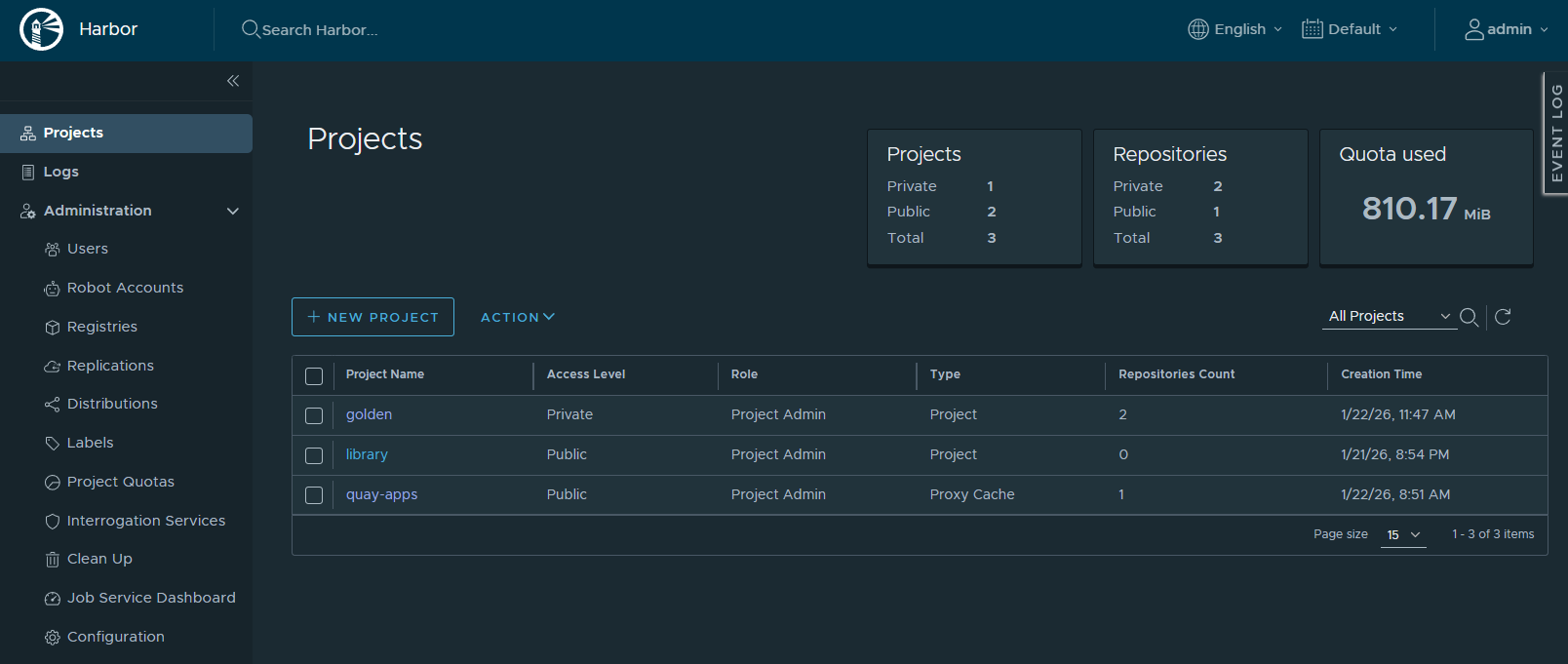
Test Image Pull
docker pull vv-harbor-01.vv-int.io/dockerhub-apps/library/nginx:1.25Restart Rules
If Docker is restarted:
systemctl restart docker
cd /opt/harbor
docker compose up -d
Harbor does not auto-start.
Moving on to Harbor Config.
This is basically what we will be doing below
Upstream Image
    ↓
Harbor Host (Docker/Podman)
    ↓  (optional modification)
Golden Harbor Project
    ↓
Robot Account (pull)
    ↓
OKD Worker Nodes
    ↓
Running Pod + Route
I also want to set the project to private because I already punted on the TLS and CA. I really wanted to force "auth correctess"
High-Level Workflow
- Pull the Grafana image from Docker Hub into Harbor and place it in the
goldenimage project - Configure OKD to pull images from Harbor’s private
goldenrepository and verify that Grafana runs successfully - Repeat the process for phpMyAdmin, demonstrating that it fails to run due to default security constraints (e.g., root user)
- Modify and rebuild the phpMyAdmin image to comply with OKD requirements
- Publish the updated phpMyAdmin image to the
goldenrepository - Pull the corrected image into OKD and verify that it runs successfully
Add Docker Hub Registry
UI → Administration → Registries → New Endpoint
-
Provider: Docker Hub
-
Name: dockerhub
-
Auth: none (public images)
-
Test Connection: OK
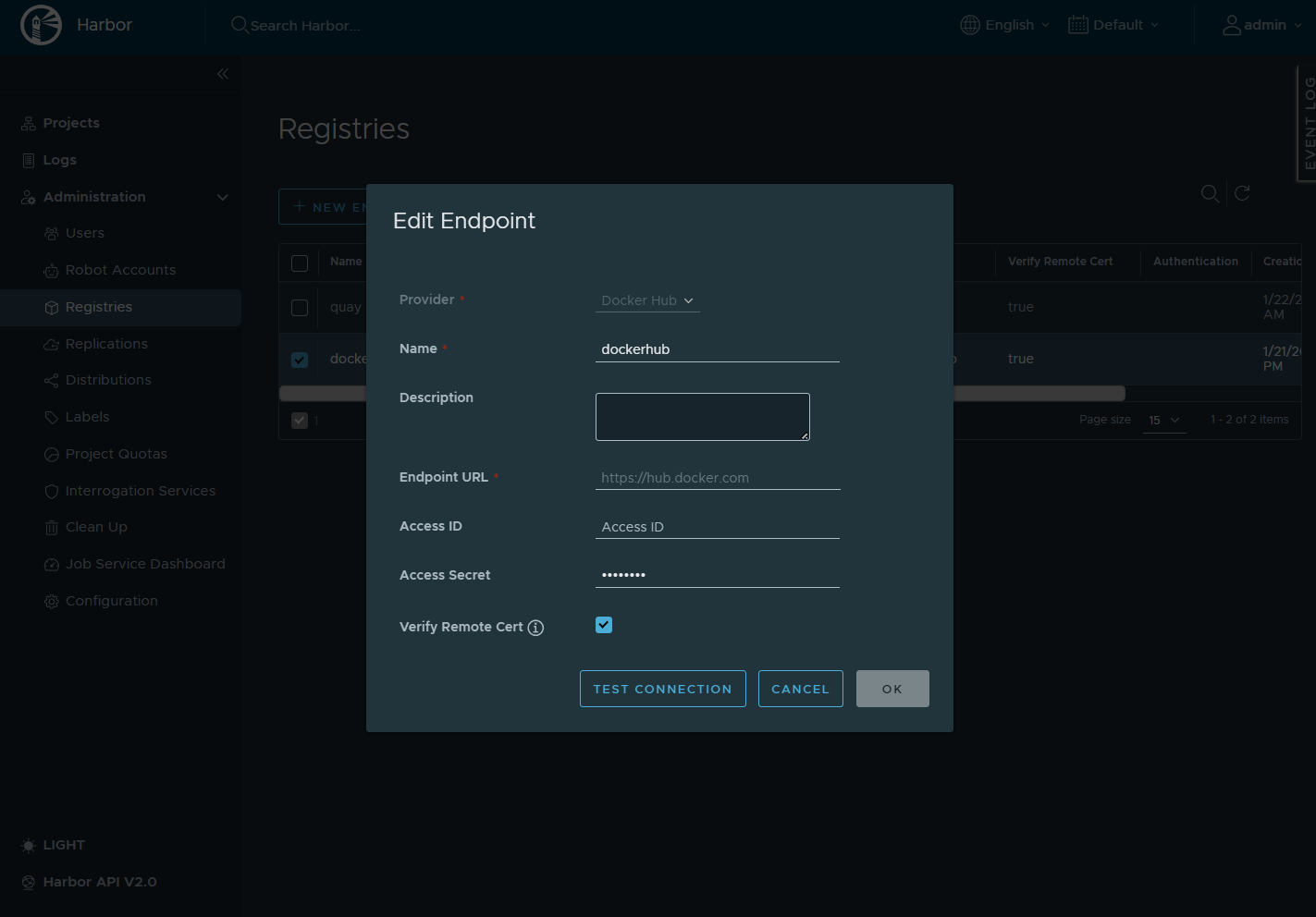
Create the Golden Project in Harbor
UI steps
-
Log into Harbor
-
Create project:
Name: golden
Visibility: Private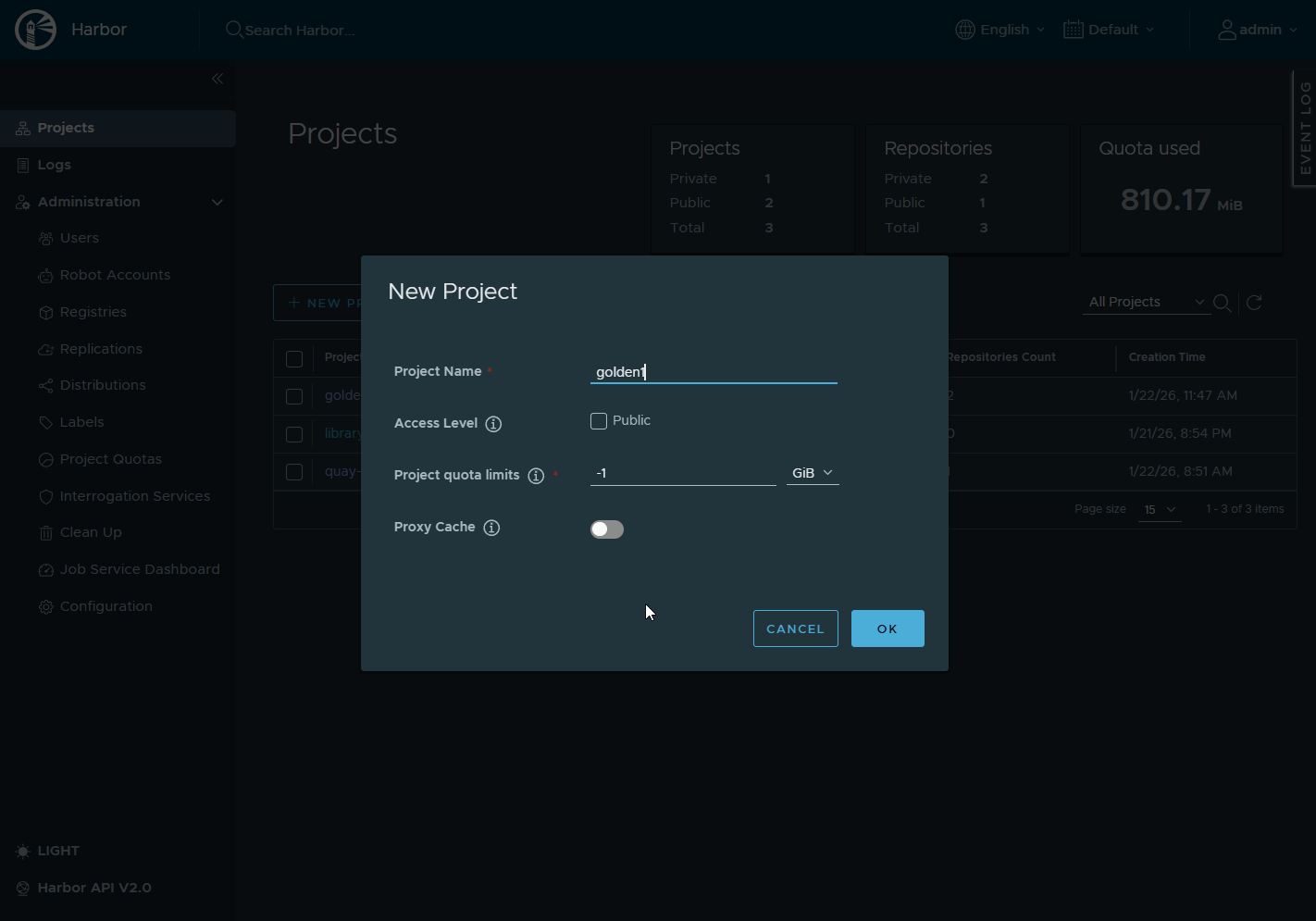
Why private?
- Forces auth correctness
- Prevents accidental anonymous pulls
- Matches real org security posture, I think anyway 😀
Create a Robot Account
Inside golden project → Robot Accounts Create robot: Name: I named it robot-pull-goldens The resulting name in Harbor will be robot$golden+robot-pull-golden
Name: robot$golden+robot-pull-goldenPermissions:
-
Pull repository
-
Push repository
Save the generated token, this is the password.
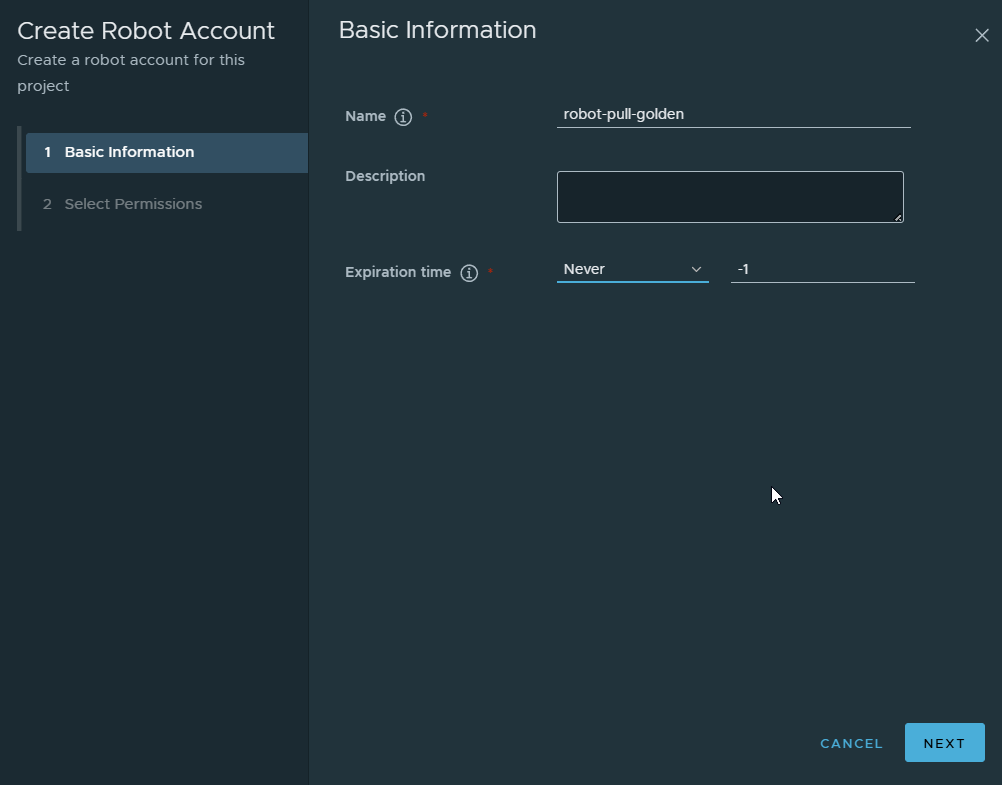
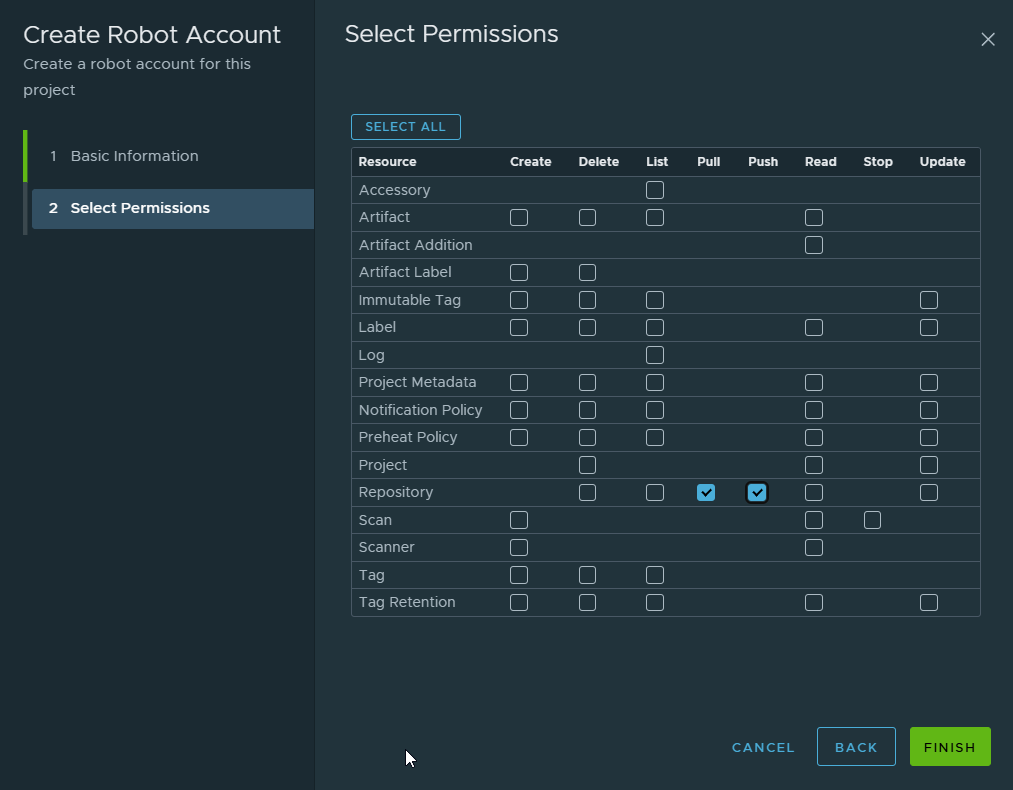
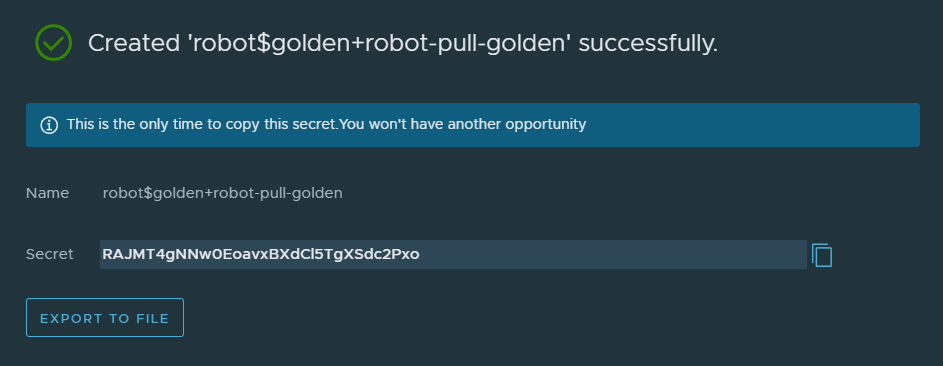
Note: I granted both pull and push permissions to this single robot account. In a production environment, these accounts should be separate. OKD would use a pull-only account for deploying images. This reduces the attack surface, if the deployment credential were ever compromised, an attacker could not push or modify images in the registry.
Log into Harbor from the Harbor Host
On the Harbor VM:
docker login vv-harbor-01.vv-int.ioUse:
- Username: admin
- Password: Harbor admin password
Why admin here?
- You are building and pushing images
- Robot accounts are for consumers (OKD), not builders
Pull the Grafana image from Docker Hub
Pull Upstream phpMyAdmin Image
From the Harbor host:
docker pull grafana/grafana:12.4.0-21230963995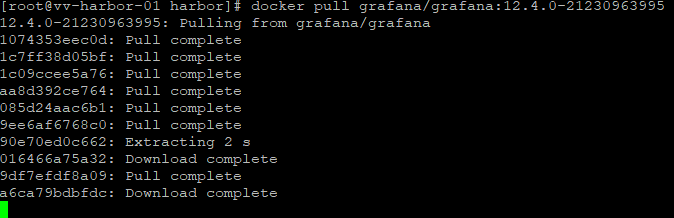
This confirms:
- Internet access
- Docker is functional
- You have a known-good base image
Next we tag the image:
docker tag grafana/grafana:12.4.0-21230963995 \
  vv-harbor-01.vv-int.io/golden/grafana:12.4.0
Then we push it to the golden repo:
docker push vv-harbor-01.vv-int.io/golden/grafana:12.4.0you will now see it in the golden repo and its tags
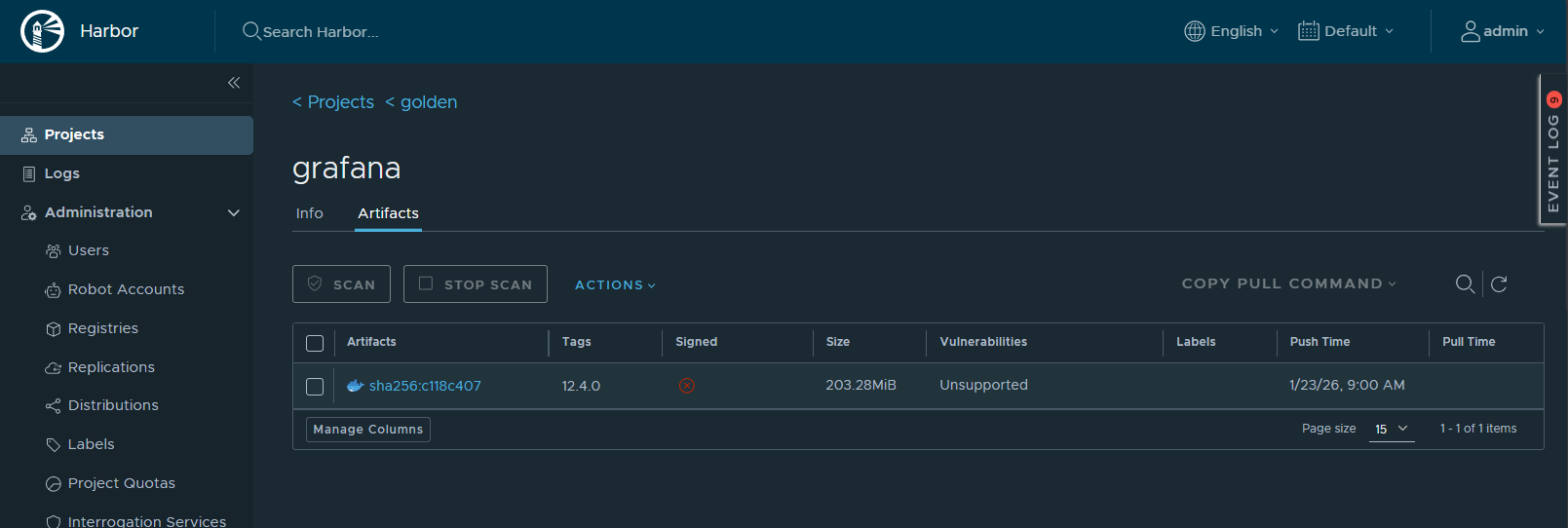
Next we will be switching over to OKD to deploy
Switch to a VM that has OC and create the project
oc new-project harbor-testValidate
oc project harbor-testoc get project harbor-testNow we will be using the Harbor repo and token we created earlier Every OpenShift project (namespace) has a default service account.If a pod does not explicitly specify a service account, OpenShift automatically runs it as default.
Attach the pull secret to the default SA
  oc create secret docker-registry harbor-pull \
  --docker-server=vv-harbor-01.vv-int.io \
  --docker-username='robot$golden+robot-pull-golden' \
  --docker-password='RAJMT4gNNw0EoavxBXdCl5TgXSdc2Pxo' \
  -n harbor-test
Patch the default ServiceAccount (before any pods exist)
oc patch sa default -n harbor-test \
  -p '{"imagePullSecrets":[{"name":"harbor-pull"}]}'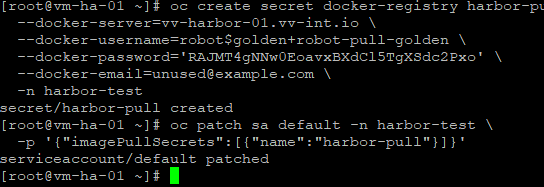
Validate
oc get sa default -n harbor-test -o yaml | grep -A3 imagePullSecretsPatch the default ServiceAccount (before any pods exist)
Time to deploy Grafana
  oc create deployment grafana \
  --image=vv-harbor-01.vv-int.io/golden/grafana:12.4.0-ubuntu \
  -n harbor-test
Validate
oc get deployment grafanaExpose Grafana
oc expose deployment grafana --port=3000
oc get route grafan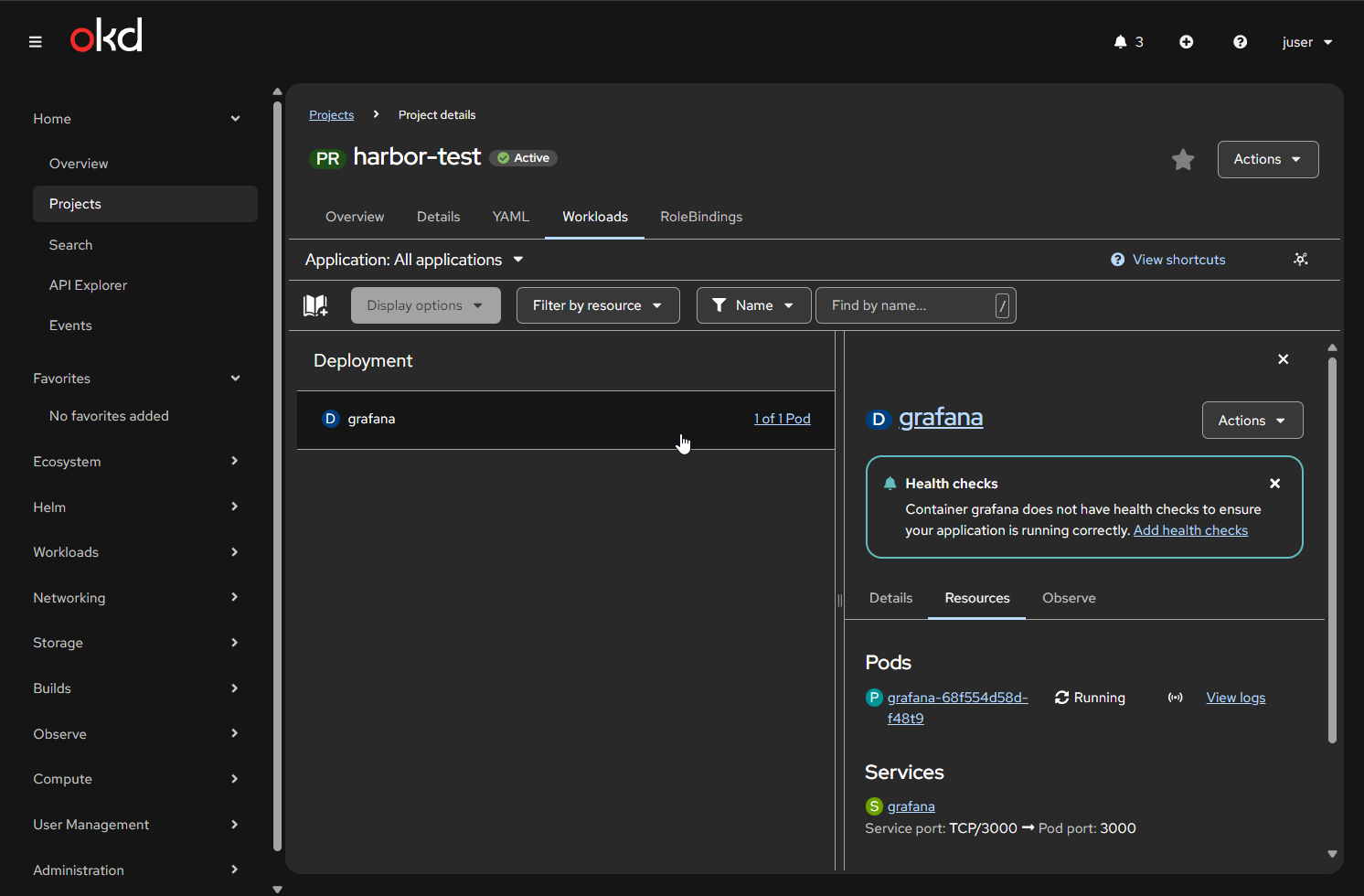
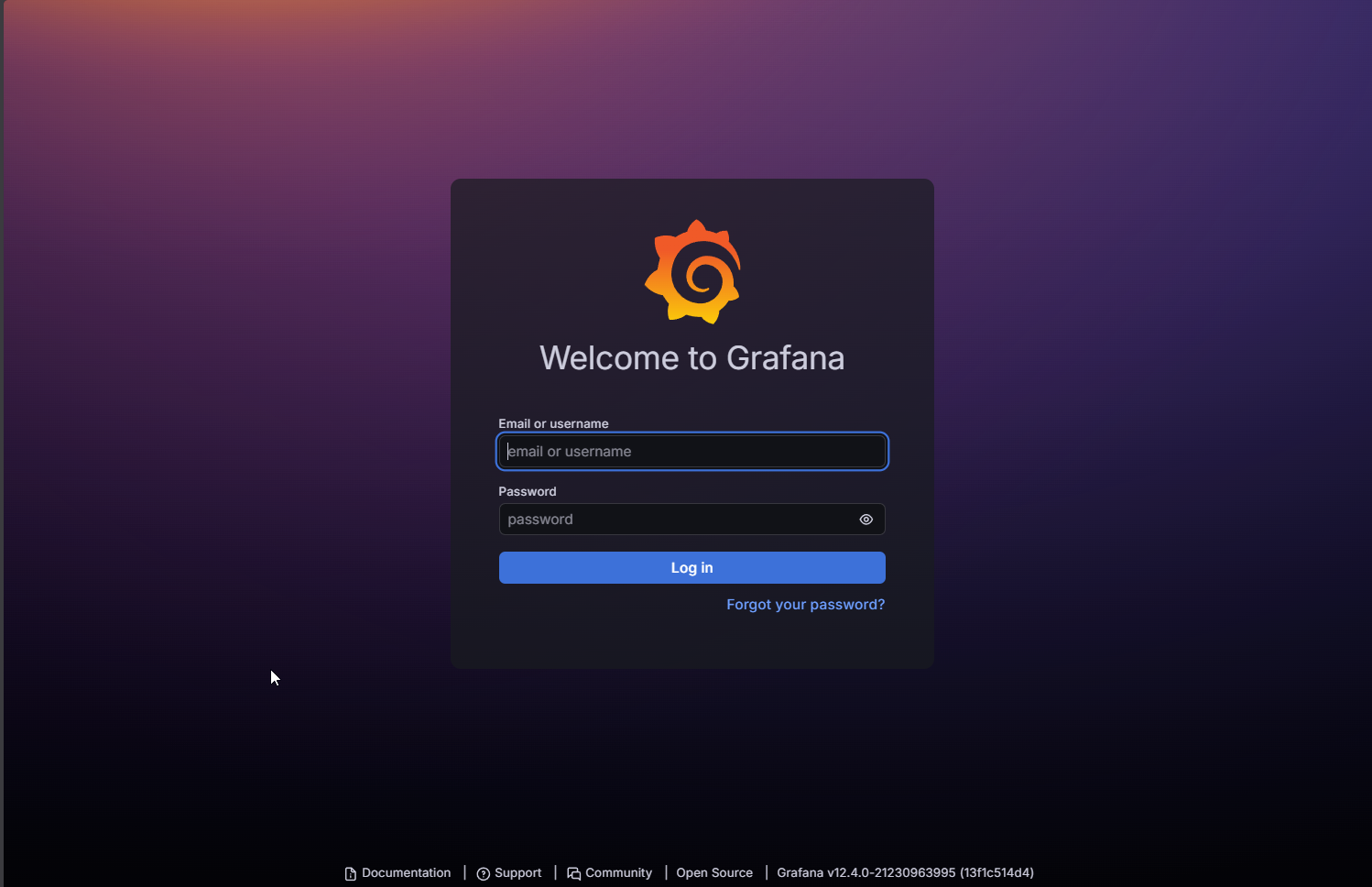
OK so that is how it goes when a docker image respects OKD's rules. Now we will pull phpMyAdmin from Docker Hub show how it fails. Then we will fix it in our golden repo and show it running
Pull Upstream phpMyAdmin Image, tag it and push to Harbor then we will deploy
From the Harbor host:
docker pull phpmyadmin/phpmyadmin:5.2.1

docker tag phpmyadmin/phpmyadmin:5.2.1 \
  vv-harbor-01.vv-int.io/golden/phpmyadmin:5.2.1-raw

docker push vv-harbor-01.vv-int.io/golden/phpmyadmin:5.2.1-raw
Now we go back over to OKD OC
oc new-app vv-harbor-01.vv-int.io/golden/phpmyadmin:5.2.1-raw \
  --name=phpmyadmin-raw \
  -n harbor-test
Validate Crash Loop
oc get pods -n harbor-test -w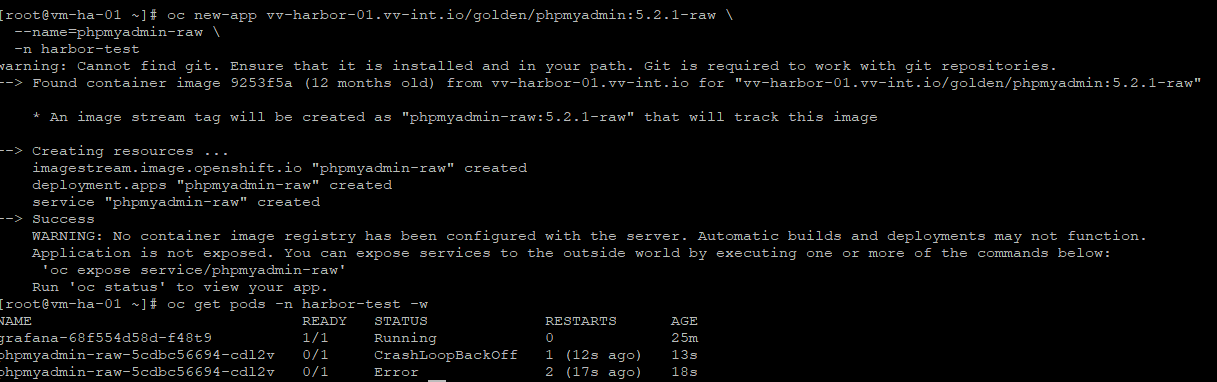
Let’s Harden phpMyAdmin for OKD Compatibility
Why it failed on OKD
The upstream phpmyadmin/phpmyadmin image assumes it can:
- Write to
/etc/phpmyadmin - Bind to privileged port 80
- Run as a predictable user/group
OKD reality
- Random UID
- No privileged ports
- No root assumptions
Why a golden registry matters
- Fix once
- Never debug again
- Same behavior everywhere
Create a Working Directory
On the Harbor host:
mkdir -p ~/phpmyadmin-golden
cd ~/phpmyadmin-golden
Why:
- Keeps Dockerfiles auditable
- Makes rebuilds repeatable
- Matches enterprise image pipelines
Create the Dockerfile
Create Dockerfile:
nano Dockerfile
FROM phpmyadmin/phpmyadmin:5.2.1

# Switch Apache to non-privileged port
RUN sed -i 's/Listen 80/Listen 8080/' /etc/apache2/ports.conf && \
    sed -i 's/:80/:8080/g' /etc/apache2/sites-enabled/000-default.conf

# Ensure writable dirs for random UID
RUN mkdir -p /etc/phpmyadmin && \
    chgrp -R 0 /etc/phpmyadmin && \
    chmod -R g=u /etc/phpmyadmin

# Expose non-privileged port
EXPOSE 8080

# Do NOT force USER — let OpenShift inject one
What we did:
- 8080 instead of 80
Required for non-root SCC - chgrp 0 + g=u
OpenShift random UID is always in group 0 - No USER directive
OpenShift sets it dynamically
Build the Golden Image
docker build -t vv-harbor-01.vv-int.io/golden/phpmyadmin:5.2.1-okd .Verify:
docker images | grep phpmyadmin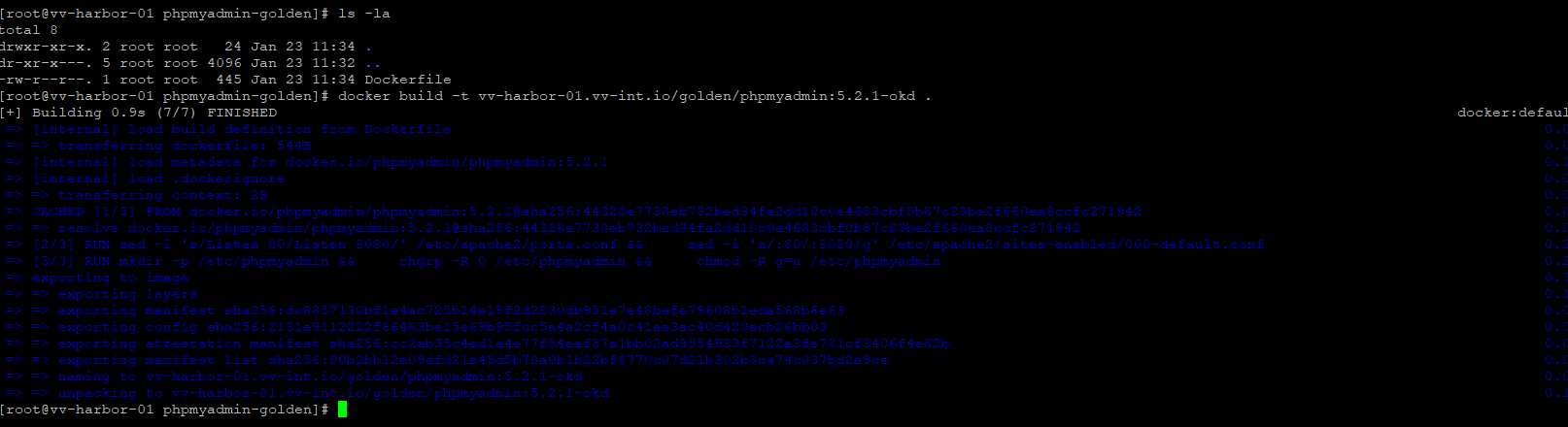
Push Golden Image to Harbor
docker push vv-harbor-01.vv-int.io/golden/phpmyadmin:5.2.1-okd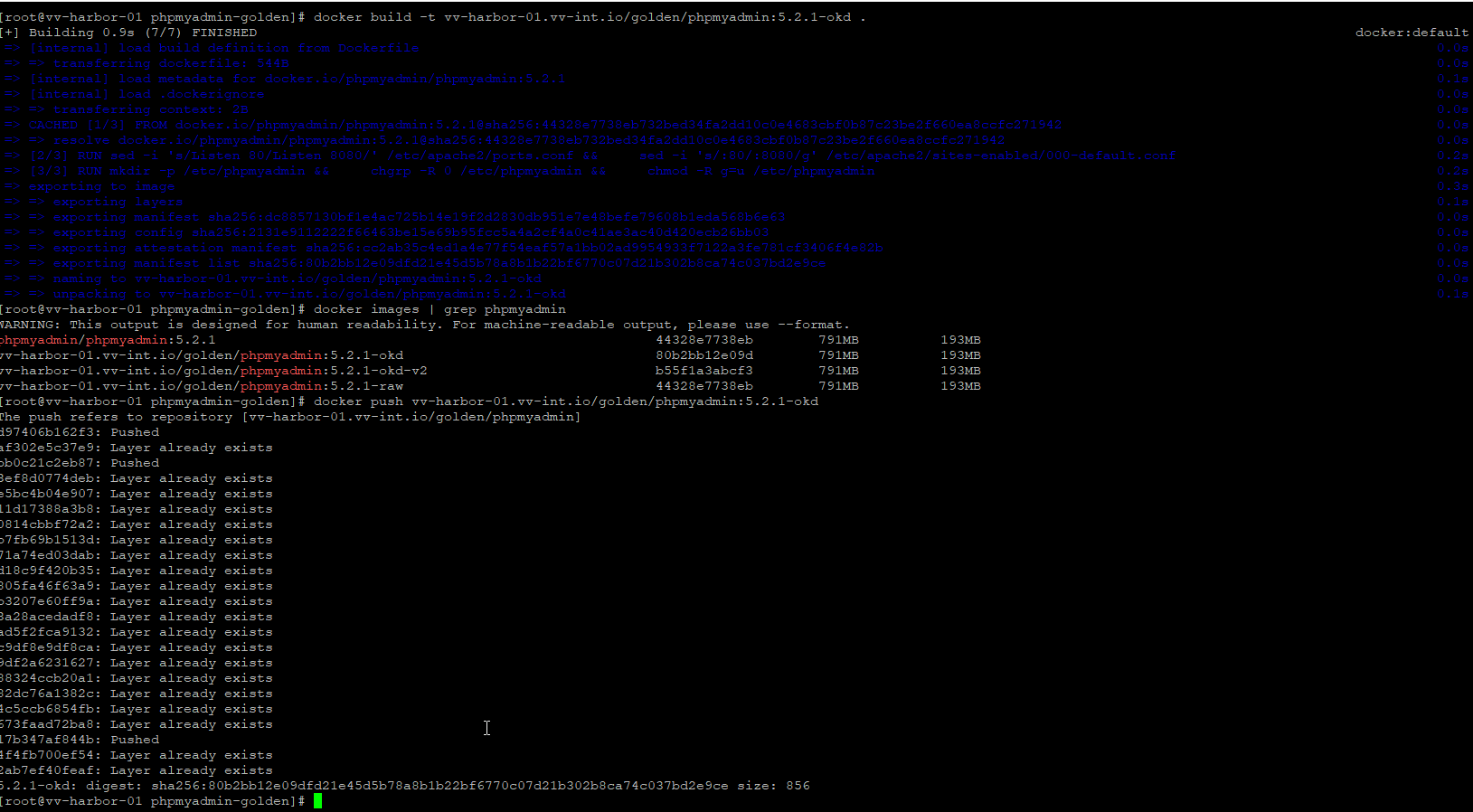
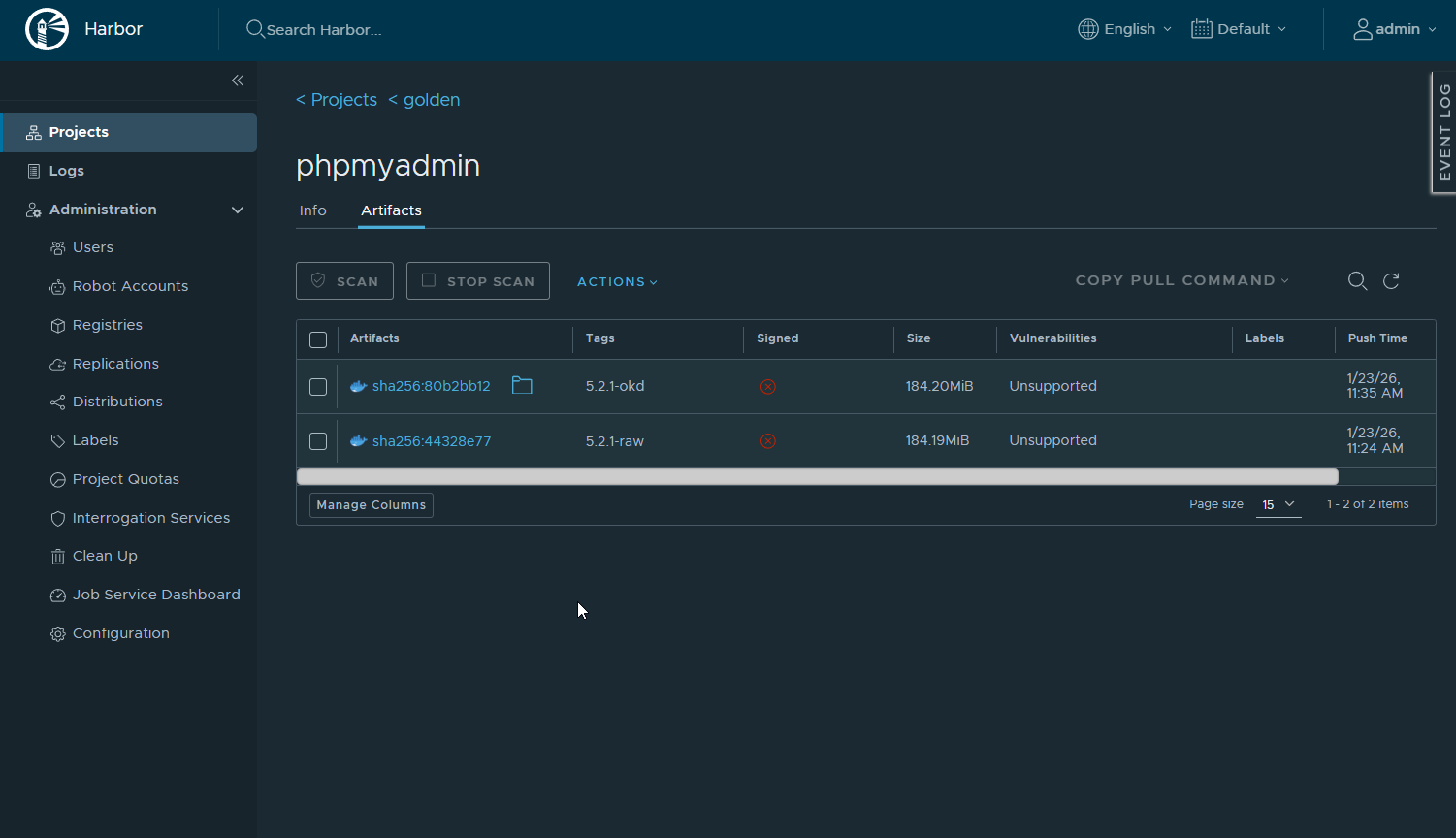
Expected output:
- Layers push successfully
- Digest printed
- Image visible in Harbor UI under golden/phpmyadmin
At this point:
- Harbor owns the image
- Upstream is no longer needed
- Version is pinned
Lets Deploy the new Fixed Version in OKD
On an OKD node or admin workstation:
oc new-app vv-harbor-01.vv-int.io/golden/phpmyadmin:5.2.1-okd \
  --name=phpmyadmin-fixed \
  -n harbor-test
Expose it:
oc expose svc/phpmyadmin-fixed -n harbor-testQuick patch, this tells OpenShift:
accept traffic on port 80 (what the route expects) forward it internally to port 8080 (what the container is actually listening on)
oc patch svc phpmyadmin-fixed -n harbor-test \
  -p '{"spec":{"ports":[{"port":80,"targetPort":8080}]}}'
Verify:
oc get pods -n harbor-test
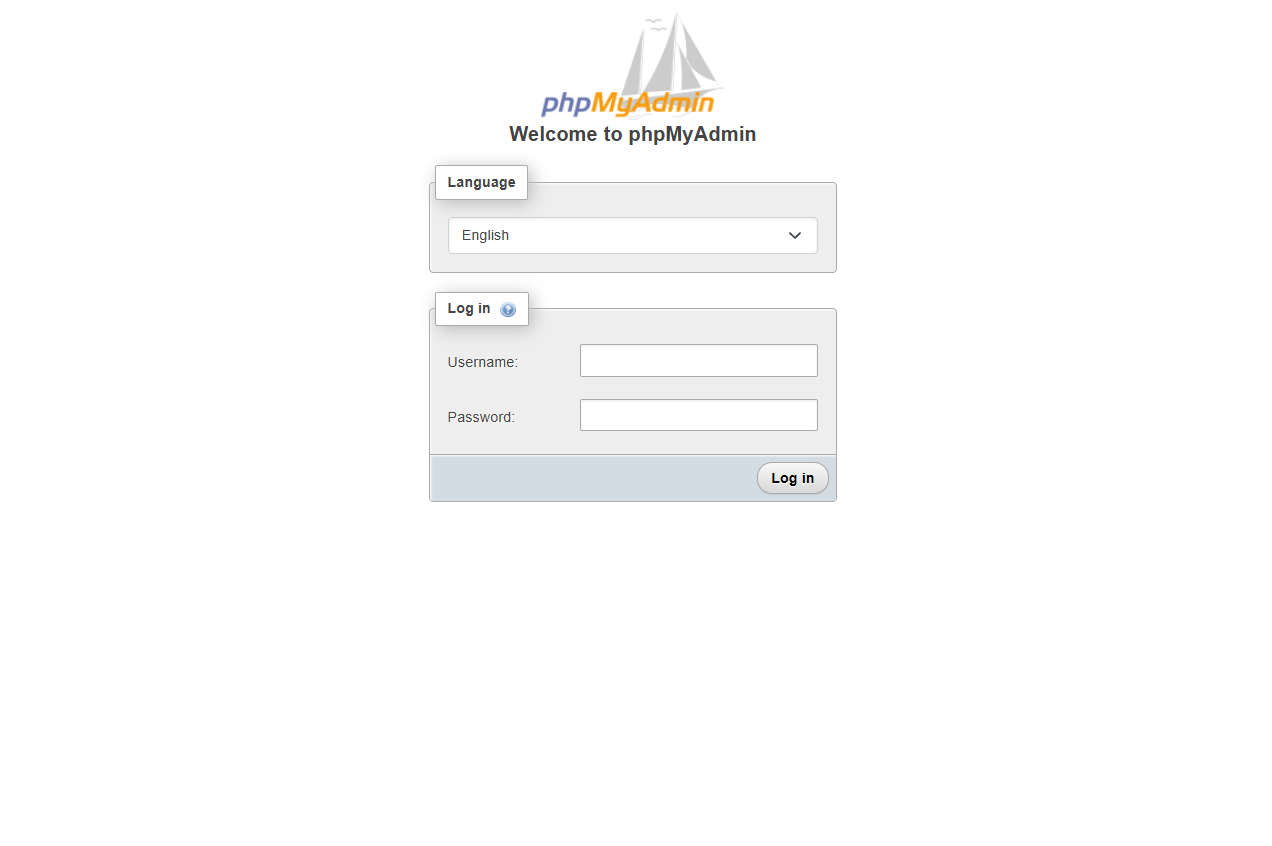
oc get route phpmyadmin-fixed -n harbor-test
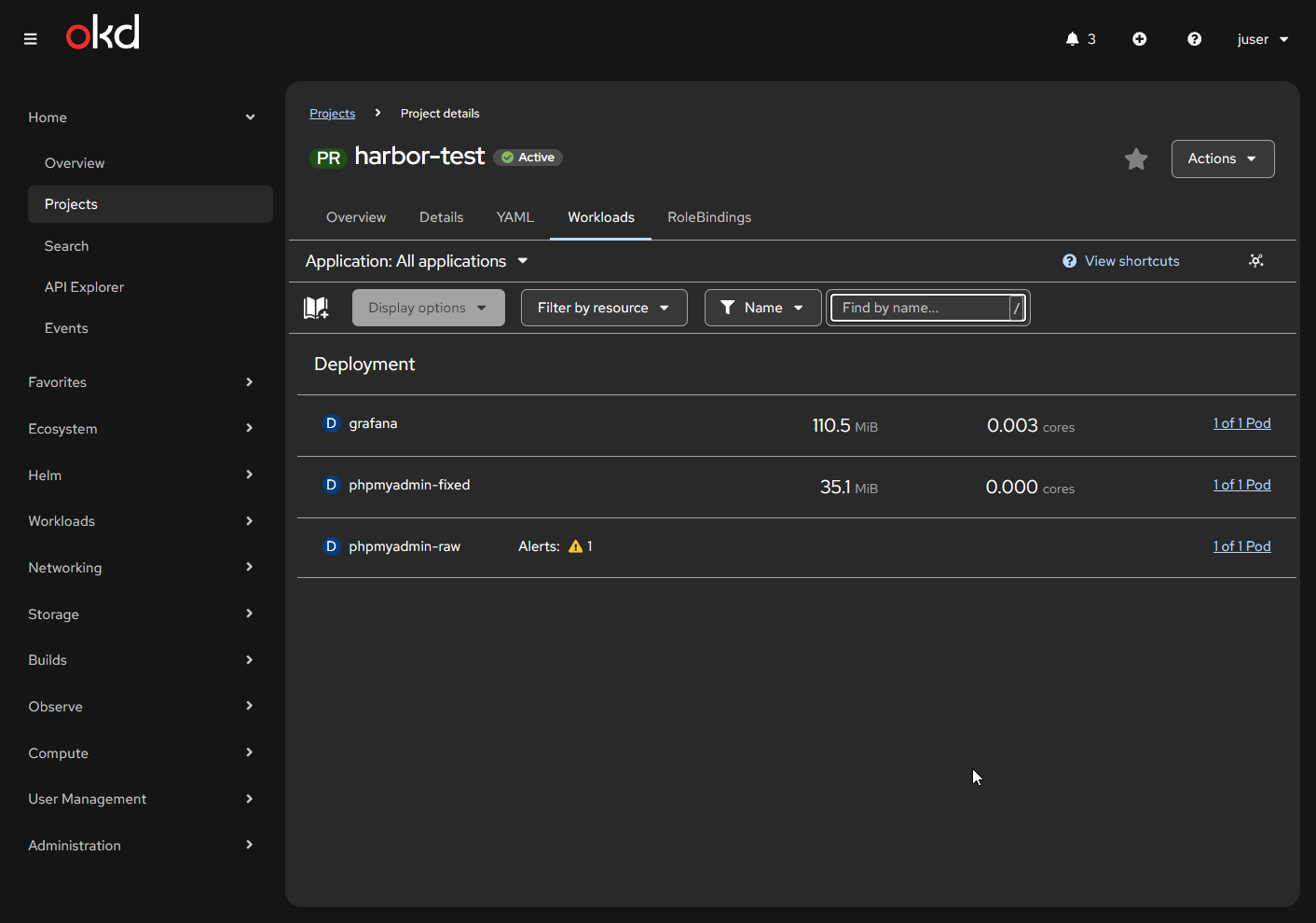
So that’s about it. I now have a golden local repository for all my images, which also helps streamline my build and test workflow.
OKD / Kubernetes / OpenShift definitely has a learning curve. It’s nothing too crazy, but working through some of the behaviors can be challenging, especially when you’re trying to figure out:
Is this a Docker issue?
A Kubernetes-native issue?
Or an OKD/OpenShift opinion layered on top?
So, another attrition-based learning experience in the books.
I hope this article helps someone.
Thanks for reading!
—Christian